.jpeg)


Warum Restaurant-Tech-Einführungen am Training scheitern, nicht an der Technologie: Rollenbasierte Sequenzierung und das echte Adoptionsrisiko
Warum Restaurant-Software-Einführungen am Training scheitern, nicht an der Software
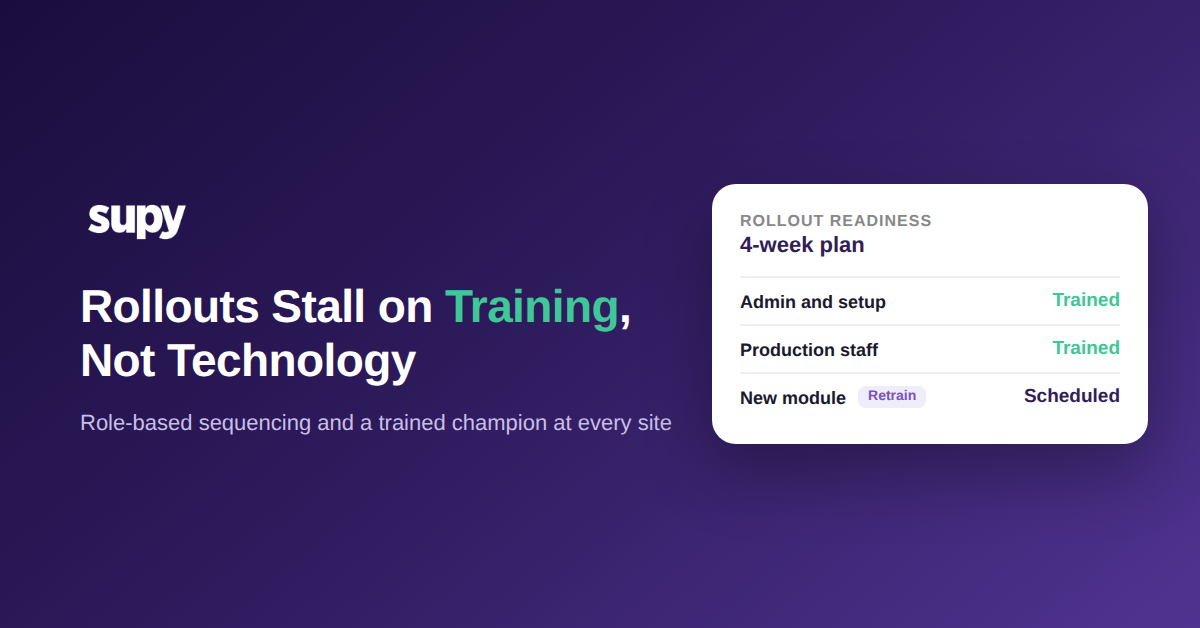
Die meisten Restaurant-Software-Einführungen scheitern am Training, nicht an der Technologie. Die Plattform funktioniert; das Team adoptiert sie nie vollständig, weil das Training einmalig stattfindet – zum Go-live, für alle, die an dem Tag im Raum sind. Adoption hängt von der Sequenzierung ab: Jede Rolle wird für jedes Modul in der Reihenfolge trainiert, in der es live geht, mit einem namentlich benannten Champion an jedem Standort. Stimmt die Reihenfolge nicht, geht die Software nur dem Namen nach live.
Das Muster ist konsistent in Multi-Standort-Gruppen. Eine Einführung wird als Projekt mit einem festen Go-live-Datum definiert, Backend-Setup und Integrationen erhalten die meiste Aufmerksamkeit, und das Training wird als einmaliges Ereignis gegen Ende behandelt. Wochen später tauchen die Lücken auf: Mitarbeiter, die nie als Nutzer eingerichtet wurden, ein Standort, den niemand vor Ort bedienen kann, ein neues Modul, das auf alte Gewohnheiten aufgesattelt wurde. Das sind keine Software-Fehler. Das sind Sequenzierungsfehler, und sie sind vorhersehbar genug, um sie zu planen.
Der Rest dieses Leitfadens beschreibt die vier Fehlermuster, die die Adoption stillschweigend bremsen, und die Trainingssequenz, die jeweils dagegen wirkt. Die Reihenfolge ist wichtiger als der Aufwand: Eine kleine Menge Training in der richtigen Reihenfolge übertrifft eine große Menge, die als einmaliger Block zum falschen Zeitpunkt vermittelt wird.
Eine zentrale Trainingseinheit erreicht ein Multi-Standort-Team nie vollständig
Der häufigste Fehler bei einer Einführung ist eine einzige Gruppentrainingseinheit, die davon ausgeht, dass alle, die das System benötigen, anwesend sind und es in einer Sitzung aufnehmen. In Multi-Standort-Gruppen scheitert dies beim Kontakt mit der Realität. Filialmitarbeiter können nicht immer an einer Sitzung teilnehmen, die für einen Standort geplant ist, die Teilnahme ist freiwillig, und die Anwesenden sind selten diejenigen, die täglich zählen und bestellen. Das Ergebnis ist eine Gruppe, die auf dem Papier trainiert und in der Praxis untrainiert ist.
Die Lösung besteht darin, jeden Standort als eigene Aktivierung zu behandeln, nicht als Posten in einer unternehmensweiten Sitzung. Jeder Standort benötigt mindestens einen geschulten lokalen Champion, der die Kernprozesse ohne Hilfe bedienen und die Fragen beantworten kann, die in der ersten geschäftigen Woche auftauchen. Ein Super-User-Modell funktioniert gut: ein Manager plus ein designated Power User pro Abteilung, damit das Training über die Startsitzung hinaus bestehen bleibt und nicht von einer einzigen erreichbaren Person abhängt. Bestätigen Sie die Teilnahme pro Standort, anstatt sie vorauszusetzen, und planen Sie Nachschulungen für Standorte, die die erste Sitzung nicht besuchen konnten.
Eine zentrale Sitzung ist kein Einführungsplan
| Standort | Lokaler Champion | Trainiert | Go-live-Status |
|---|---|---|---|
| Stadtzentrum | Standortleiter | Ja | Bereit |
| Hafenblick | Chefbarista | Ja | Bereit |
| Flughafen-Filiale | Schichtleitung | Nein | Nachfolgebesuch gebucht |
| Nordfiliale | Küchenleitung | Ja | Bereit |
Das ist dieselbe Disziplin, die Multi-Standort-Inventuren akkurat hält: Der Prozess funktioniert nur, wenn jeder Standort ihn durchführen kann, nicht nur die Zentrale.
Training, das beim Go-live aufhört, während neue Module weiter ausgeliefert werden
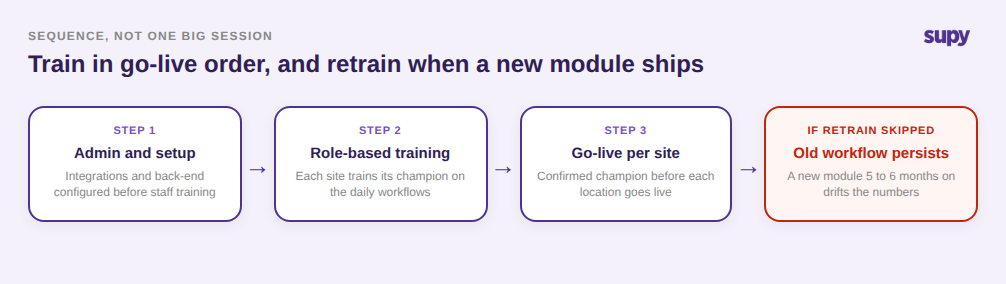
Das Onboarding-Training deckt die Module ab, die am ersten Tag live gehen. Das Problem ist, dass die Plattform nach dem Go-live weiter wächst und das Training selten Schritt hält. Ein Team, das für Kernbestellungen und Wareneingang trainiert wurde, führt diese Gewohnheiten fort, wenn 5 bis 6 Monate später ein neues Modul eintrifft, und betreibt die neue Funktion stillschweigend über den alten Workflow. Die Lücke zeigt sich nicht sofort. Sie zeigt sich als Zahlen, die nicht mehr der Realität entsprechen.
Ein Betreiber behielt einen alten Workflow bei, nachdem ein neues Modul live gegangen war, und schulte nie nach. Der Lagerbestand driftete, bis das System 2.800 Einheiten eines Artikels anzeigte, gegenüber 200 im Regal, und die Lösung war ein vollständiger Neuaufbau von Rezepturen, Ausbeuten und Kostenstellen, bevor die Daten wieder vertrauenswürdig waren. Die Lehre lautet: Training muss Modul für Modul in der Reihenfolge sequenziert werden, in der jedes live geht, mit einer dedizierten Nachschulungssitzung statt der Annahme, dass Mitarbeiter ein neues Tool eigenständig auf bestehende Routinen aufsetzen.
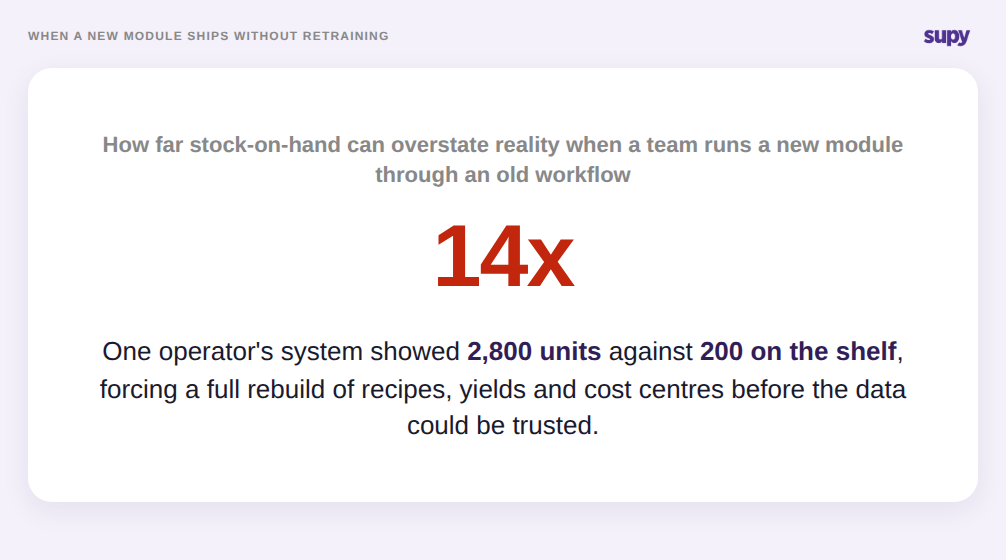
Die Echtzeit-Warenübersicht vertrauenswürdig zu halten ist genauso ein Trainingsproblem wie ein Datenproblem: Ein Modul, für das niemand nachgeschult wurde, liefert sichere, aber falsche Zahlen.
Rollen und Sequenzen trainieren, nicht Einzelpersonen
Zwei verwandte Fehler entstehen, wenn eine Einführung auf namentliche Personen statt auf Rollen ausgerichtet wird. Der erste ist die Abhängigkeit von einer Einzelperson: Ein Team plant Trainingszeiten für bestimmte Individuen, diese Personen verlassen das Unternehmen vor dem Go-live, und der Plan bricht zusammen, weil er nie an eine Rolle geknüpft war, in die ein Nachfolger eintreten könnte. Der zweite ist ein Zugang, der Rollen völlig ignoriert. Wenn jeder Nutzer Admin-Zugang ohne abteilungsbezogene Berechtigungen erhält, werden die wichtigen Konten oft nie eingerichtet, und Schlüsselmitarbeiter können noch Monate nach dem Go-live nie eingeloggt gewesen sein.
Rollenbasierte Sequenzierung löst beides. Legen Sie fest, wer welches Modul in welcher Reihenfolge benötigt, und beschränken Sie den Zugang auf das Erlöszentrum oder die Abteilung, in der die Person tatsächlich arbeitet. Supy unterstützt dies direkt mit rollenbasierten Berechtigungen und Genehmigungsketten von bis zu bis zu 5 Genehmigern, nach Filiale und Rolle abgegrenzt, sodass das Training auf reale Verantwortlichkeiten statt auf Einzelpersonen abbildet. Wenn jemand das Unternehmen verlässt, bleiben die Rolle und ihr Zugang erhalten, und der Nachfolger tritt in einen definierten Platz ein, nicht in eine Lücke. Wenn eine Einführung fortschreiten muss, bevor das vollständige Team vorhanden ist, sollte sie gestaffelt werden: Integrationen und Backend-Setup können vorangehen, während das operative Training auf die Personen wartet, die es tatsächlich verantworten werden.
Jede Rolle auf das beschränken, was sie tatsächlich verantwortet
| Rolle | Zugriffsbereich | Trainiert auf | Einführungsphase |
|---|---|---|---|
| Gruppenadmin | Alle Standorte und Einstellungen | Setup, Berechtigungen | Erste Welle |
| Standortleiter | Ein Standort, alle Abteilungen | Genehmigungen, Berichte | Erste Welle |
| Küchenleitung | Küchenbereich | Rezepturen, Inventuren | Zweite Welle |
| Front-of-House | Nur Bestellung | Bestellung, Wareneingang | Zweite Welle |
Es gibt noch einen weiteren Grund, warum die Sequenzierung wichtig ist, und er betrifft Menschen, nicht Berechtigungen. Entscheidungsträger und Frontline-Mitarbeiter müssen separat überzeugt werden. Inhaber stimmen wegen der Zahlen auf Gruppenebene zu; die Person, die manuelle Stift-und-Papier-Arbeit erledigt, adoptiert nur, wenn sie einen Beweis in ihrem eigenen Alltag sieht. Dieser Beweis ist konkret und rollenspezifisch: eine Mindestbestandsbestellung, die von 1 Stunde pro Tag auf etwa 10 Minuten sinkt, oder 2 Stunden pro Monat gespart bei der Lieferantenabrechnung. Eine gestaffelte Einführung, die mit einer engen Kategorie in einer Filiale beginnt, erzeugt diesen Beweis, bevor Sie die gesamte Gruppe auffordern, ihre Arbeitsweise zu ändern. Sie verändert auch die Wahrnehmung des Aufwandseinwands: Ein Betreiber ankerte einen 4-wöchigen Trainingsplan bei 1.000 $ pro Monat gegen eine monatliche Kostenüberschreitung von 18.000 $, mit der er bereits lebte, und die Trainingszeit wirkte plötzlich proportional zum Gewinn.
Bevor Sie ein Go-live-Datum festlegen, führen Sie diese schnelle Prüfung Ihrer eigenen Einführung durch. Wenn Sie keinen geschulten Champion an jedem Standort benennen können, wird ein Standort ungeschult live gehen. Wenn Ihr Trainingsplan Personen statt Rollen auflistet, wird er eine einzige Kündigung nicht überleben. Wenn keine Nachschulungssitzung für das nächste Modul in Ihrer Roadmap geplant ist, wird dieses Modul innerhalb eines Quartals falsche Zahlen liefern. Und wenn Ihr Frontline-Team keinen rollenspezifischen Beweis für eingesparte Zeit gesehen hat, rechnen Sie mit Widerstand, egal wie stark das Argument auf Gruppenebene ist. Eine gesunde Einführung hält den Verlust bei etwa 2% des Einkaufswerts und die Abweichung bei etwa 0,5% des Umsatzes; wenn Sie nach dem Go-live von diesen Benchmarks abweichen, ist die Adoption, nicht die Software, in der Regel der erste Ansatzpunkt.