.jpeg)


طلب B2B في المطبخ المركزي: كيف تمنح كل فرع وعميل خارجي الكتالوج المناسب والأسعار الصحيحة
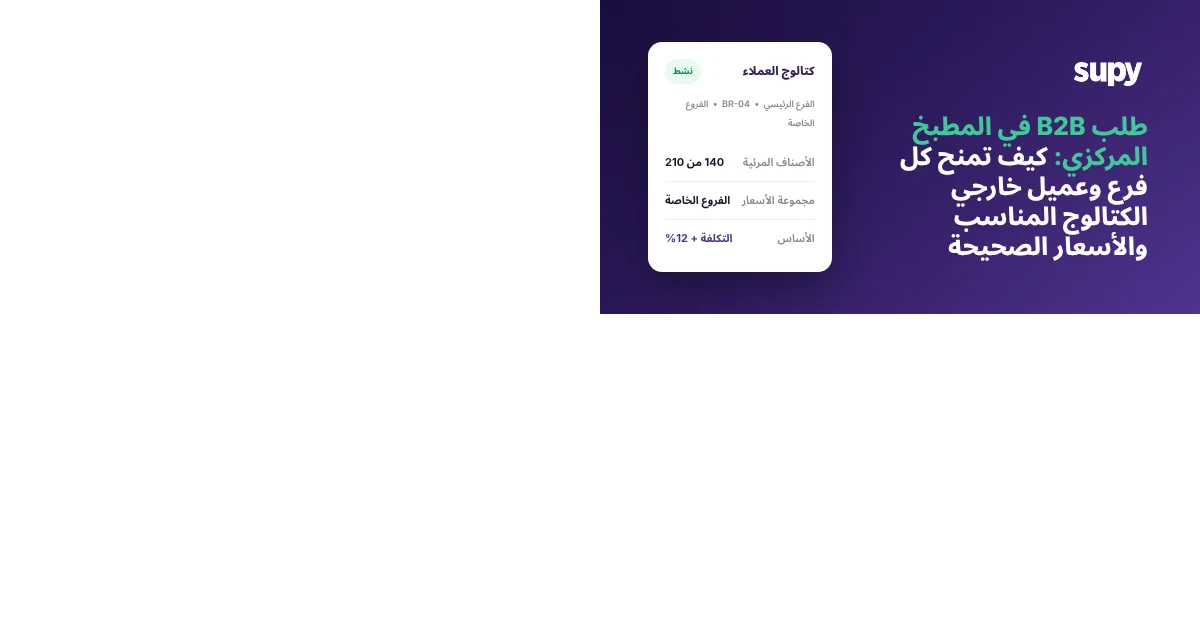
يمكن للمطبخ المركزي أن يمنح كل عميل من عملائه، سواء كان فرعاً داخلياً أو عميلاً خارجياً، كتالوج طلبه الخاص بأسعاره الخاصة، وأن يُدرج عشرين منهم في نظامه باستيراد واحد. يرى كل عميل فقط ما يُسمح له بطلبه، ويدفع السعر المحدد لمجموعته، ويقدم طلباته بنفسه، بينما يحتفظ المطبخ برؤية واضحة لمن طلب ماذا.
لا تبدأ معظم المطابخ المركزية من هذه النقطة. تبدأ بمعالجة طلبات الفروع والعملاء عبر نظام نقطة البيع أو جدول بيانات مشترك لم يُصمم قط للتمييز بين عميل وآخر. كانت مجموعة مكونة من ستة مواقع، يُنتج مطبخها المركزي نحو 135 منتجاً معبأً لمواقعها الخاصة، تفتقر تماماً إلى أدوات المطبخ المركزي الحقيقية، فكان مسؤول العمليات يُعالج كل طلب عبر نظام الكاشير دون أي إمكانية لمنح أحد الفروع قائمة أو سعراً مختلفاً. هذه هي الفجوة التي يسدها هذا سير العمل. تتعامل Supy مع المطبخ المركزي بوصفه مورداً مستقلاً، امتداداً لنفس سير عمل الطلبات والمستلزمات الذي تستخدمه فروعك بالفعل: تطلب الفروع من المطبخ، يؤكد المطبخ ويشحن ويُصدر لها الفواتير، وتخدم الآلية ذاتها عملاء الأعمال التجارية بين الشركات (B2B) الخارجيين بقوائم أسعارهم الخاصة.
لماذا يُخفق الكتالوج المشترك الواحد لحظة إضافة عميل ثانٍ
تعني السيطرة على الكتالوج لكل عميل اتخاذ قرار، لكل عميل على حدة، بشأن العناصر التي تظهر بالضبط عند تقديمه للطلب. إضافة عنصر يعيد إدراجه في قائمة ذلك العميل؛ واستبعاده يحذفه. يسري التغيير على هذا العميل وحده ولا يمس أحداً آخر، فيمكن لفرع وعميل خارجي الاستقاء من نفس الكتالوج الرئيسي ومع ذلك يريان أشياء مختلفة تماماً.
في اللحظة التي تخدم فيها أكثر من عميل واحد من قائمة مشتركة، تتحول تلك القائمة إلى عبء. يطلب فرع منتجاً نصف مصنّع مخصصاً لموقع آخر فقط. يرى عميل الجملة عنصراً لم تنوِ قط بيعه له. كل خطأ يتحول إلى مكالمة هاتفية أو تصحيح أو إشعار دائن. مع السيطرة على كل عميل، تُنسّق المطبخ كل قائمة مرة واحدة: يرى الفرع الرئيسي 140 عنصراً، ويرى عميل مقهى الحي 45 عنصراً، ويرى عميل مخبزة حرفية 32 عنصراً، جميعها مستقاة من قائمة الأصناف الرئيسية التي تضم 210 عناصر. لا يطلب أحد ما لا ينبغي له لأنه لا يراه أصلاً.
| العميل | النوع | العناصر المرئية | أساس التسعير |
|---|---|---|---|
| الفرع الرئيسي | فرع داخلي | 140 | التكلفة + 12% |
| مجموعة مقهى الحي | عميل الجملة | 45 | قائمة ثابتة |
| عميل المخبزة الحرفية | عميل الجملة | 32 | قائمة ثابتة |
| الكتالوج الرئيسي | المطبخ | 210 | - |
إعداد دفعة من الفروع الجديدة دون يوم كامل من إدخال البيانات
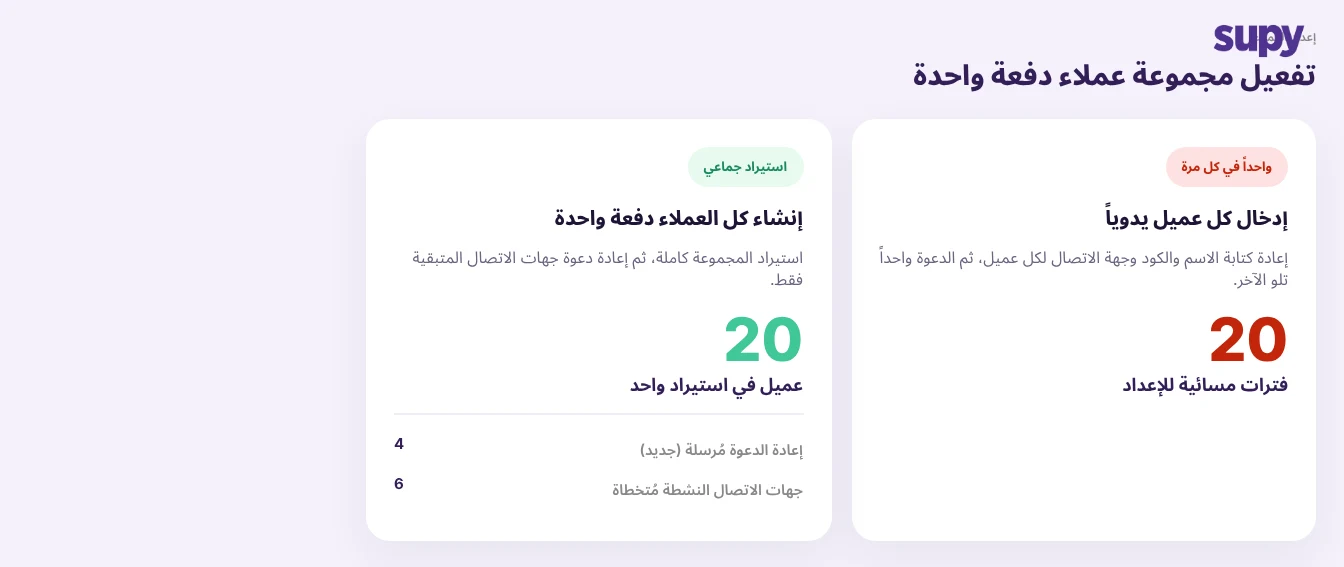
يُتيح إنشاء العملاء بالجملة إدخال عملاء كثيرين في النظام دفعةً واحدة بدلاً من إضافتهم فرداً فرداً. عندما تفتح مجموعة مواقع جديدة أو تُبرم حسابات جملة جديدة، تستورد المطبخ الدفعة بأكملها دفعةً واحدة بدلاً من إدخال كل اسم ورمز وجهة اتصال يدوياً.
تعني جعل العملاء نشطين بعد ذلك دعوة جهات الاتصال الخاصة بهم، والدعوة الجماعية المُعاد إرسالها حذرة في ذلك: فهي لا ترسل رسائل إلا إلى جهات الاتصال التي لم تقبل بعد، وتتجاوز أي شخص نشط بالفعل. أرسل جولة من عشر دعوات يكون فيها ستة جهات اتصال متصلة بالفعل، فلا يُتواصل إلا مع الأربعة المتبقين؛ وتبقى الاتصالات الست النشطة دون مساس. يُنفّذ تفعيل سير عمل B2B للمطبخ المركزي الإعداد الأساسي نيابةً عنك، فإنشاء الطلبات من الفرع إلى المطبخ ومن العميل إلى المطبخ هو مفتاح تُشغّله، وليس إعداداً يدوياً تُجمّعه خطوةً بخطوة.
تطبيق أسعار مختلفة على الشريك المُمتاز وعميل الجملة
تُتيح مجموعات العملاء تصنيف العملاء في شرائح ومنح كل شريحة قائمة أسعارها الخاصة. تنتمي فروعك الخاصة إلى مجموعة بسعر التكلفة زائد 12%، وشركاء الامتياز إلى مجموعة أخرى بسعر التكلفة زائد 18%، وعملاء الجملة الخارجيون على قائمة أسعار ثابتة. قم بالتصفية حسب أي مجموعة وستتمكن من عرض الكل أو التصرف حيالهم دفعةً واحدة، بدلاً من فتح العملاء واحداً تلو الآخر.
هنا يتوقف المطبخ المركزي عن كونه مركز تكلفة ويبدأ في التصرف كشركة تجارية حقيقية. يمكن أن يغادر نفس رغيف خبز العجين المخمر المطبخ بسعر 2.10 دولار لفرع داخلي و2.85 دولار لعميل جملة، لأن التسعير يتبع المجموعة لا العنصر. تسير الفوترة على نفس الهيكل: فواتير مبدئية وفواتير ضريبية، وتكلفة أو هامش ربح أو تسعير ثابت، وكشوف حسابات لكل عميل. عندما يُشكك شريك الامتياز في رسوم معينة، يكون السعر الذي يدفعه قاعدةً حددتها مرةً واحدة لمجموعته، لا رقماً أدخله شخص ما في ذلك اليوم.
| مجموعة العملاء | أساس التسعير | رغيف العجين المخمر |
|---|---|---|
| الفروع الخاصة المواقع الداخلية | التكلفة + 12% | 2.10$ |
| شركاء الامتياز نفس العلامة، ملاك منفصلون | التكلفة + 18% | 2.21$ |
| عملاء الجملة الخارجيون حسابات خارجية | قائمة أسعار ثابتة | 2.85$ |
السماح لعملاء المطبخ المركزي بتقديم طلباتهم بأنفسهم دون فقدان السيطرة
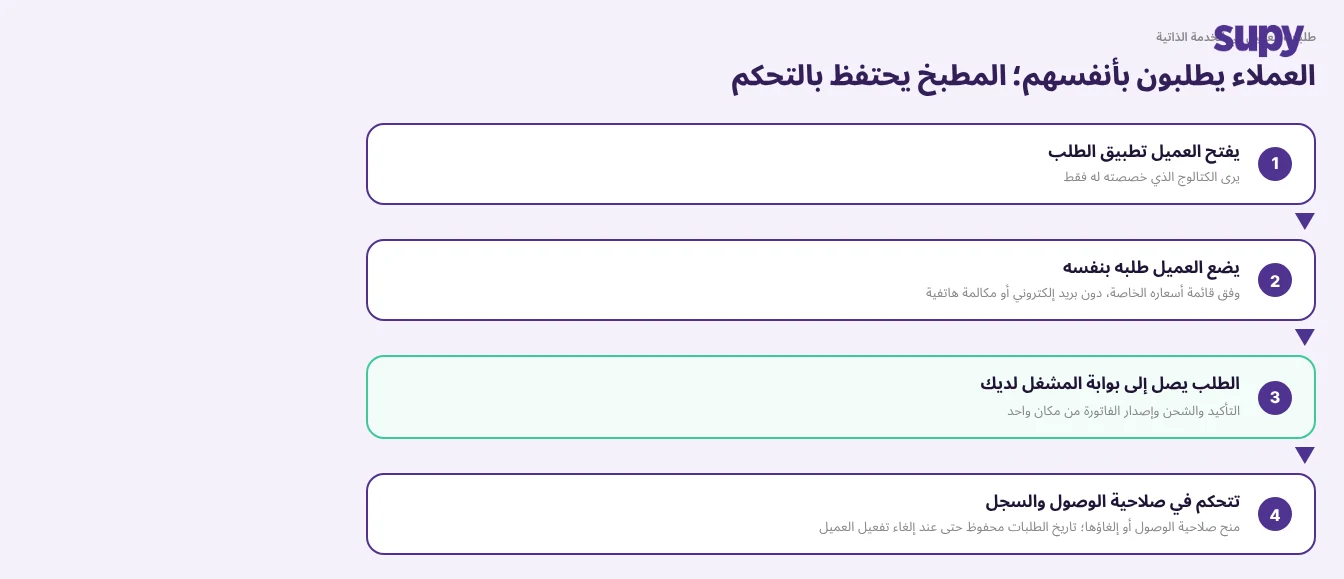
Supy Connect تطبيق طلبات مخصص يستخدمه عملاؤك الخارجيون من B2B لتصفح كتالوجك المباشر وتقديم طلباتهم بأنفسهم. تتدفق تلك الطلبات مباشرةً إلى بوابة المشغّل الخاصة بك، ويعرض العملاء فواتيرهم الخاصة ويُنزّلونها، وأنت من تقرر من يحصل على صلاحية الوصول. إنه مصمم للعملاء الخارجيين، لا لطلبات الفروع الداخلية، فيفتح المطبخ أمام حسابات الجملة دون فتح مكتبك الخلفي لهم.
لا تتوقف السيطرة عند الطلب. يمكنك العثور على أي عميل فوراً باسم العرض أو الرمز الداخلي أو الاسم القانوني، لأن الثلاثة يُبحث فيها في آنٍ واحد ونادراً ما تتوفر لديك جميع المعرّفات. عندما يحتاج القسم المالي إلى قائمة العملاء، يتم تصديرها مع تطبيق تنسيق العملة والوقت بالفعل، فتصل كملف يمكن للناس استخدامه مباشرةً بدلاً من إعادة تنسيقه. وعند انتهاء علاقة العميل، تُزيل إلغاء تنشيط ذلك العميل من جميع طرق العرض النشطة مع الحفاظ على سجل طلباته الكامل سليماً، فيظل مسار المراجعة محفوظاً ولا يُفقد شيء.
ابدأ بفصل عملائك عن الكتالوج الرئيسي: اعدد كل فرع وعميل خارجي تُورّد إليه، ثم قرر أي شريحة من قائمة العناصر الكاملة ينبغي لكل منهم رؤيتها فعلياً. هذا التمرين الواحد، الذي يُنجز مرةً واحدة، هو ما يجعل كل خطوة لاحقة، من التسعير والإعداد وتقديم الطلبات الذاتية، تنضبط في مكانها. كما أنه الأساس الذي يقوم عليه بقية برنامج إدارة المطبخ المركزي الخاص بك.
عند تقييمك لنظام من هذا القبيل، اطلب مشاهدة ثلاثة أمور في العرض التوضيحي. أضف عنصراً واحداً لعميل بعينه وأزله، وتأكد من عدم تغيير أي عميل آخر. ضع عميلين على قائمتَي أسعار مختلفتين واطلب المنتجات ذاتها من كل منهما. ثم قدّم طلباً مباشراً من تطبيق العميل وشاهده يصل إلى بوابة المشغّل. إذا عملت الأمور الثلاثة أمامك، يستطيع مطبخك المركزي إدارة طلبات B2B كمورّد حقيقي، لا كحل مؤقت مُربوط بنظام كاشير.