.jpg)


Restaurant Inventory Software: Do You Need to Hire Back-Office Staff?
The Short Answer: You Need an Owner, Not a New Hire
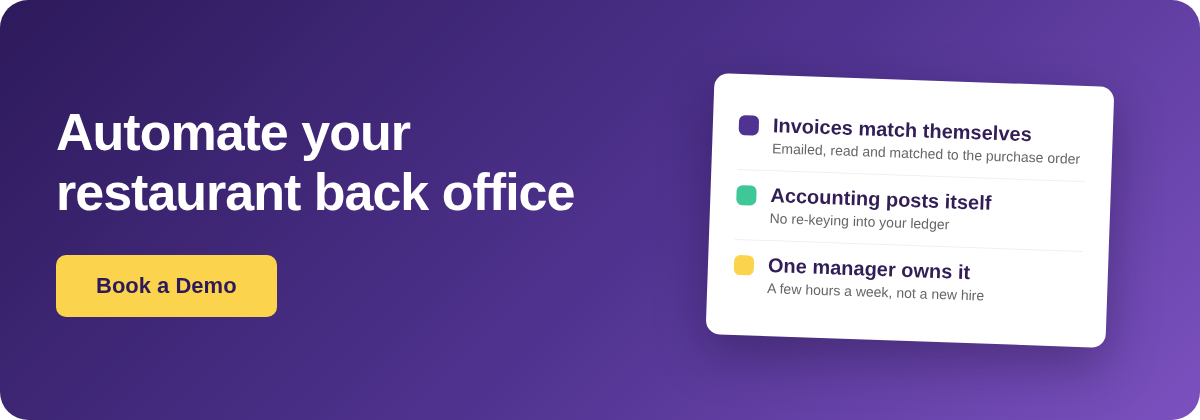
For most lean restaurant groups of 3 to 5 outlets, running inventory software does not require a dedicated back-office hire. The software automates the invoice matching, receiving and accounting posting that used to justify a clerk. What it still needs is an owner: an existing manager or head chef who spends about 3 hours a week keeping the data honest.
That distinction is the whole decision. The fear behind "do we need to hire someone?" is that the software creates a new, full-time job maintaining the ingredient list, chasing invoices and reconciling numbers. In practice it does the opposite. Good restaurant inventory software removes most of that manual load and leaves a much smaller job of oversight, which an existing role can absorb.
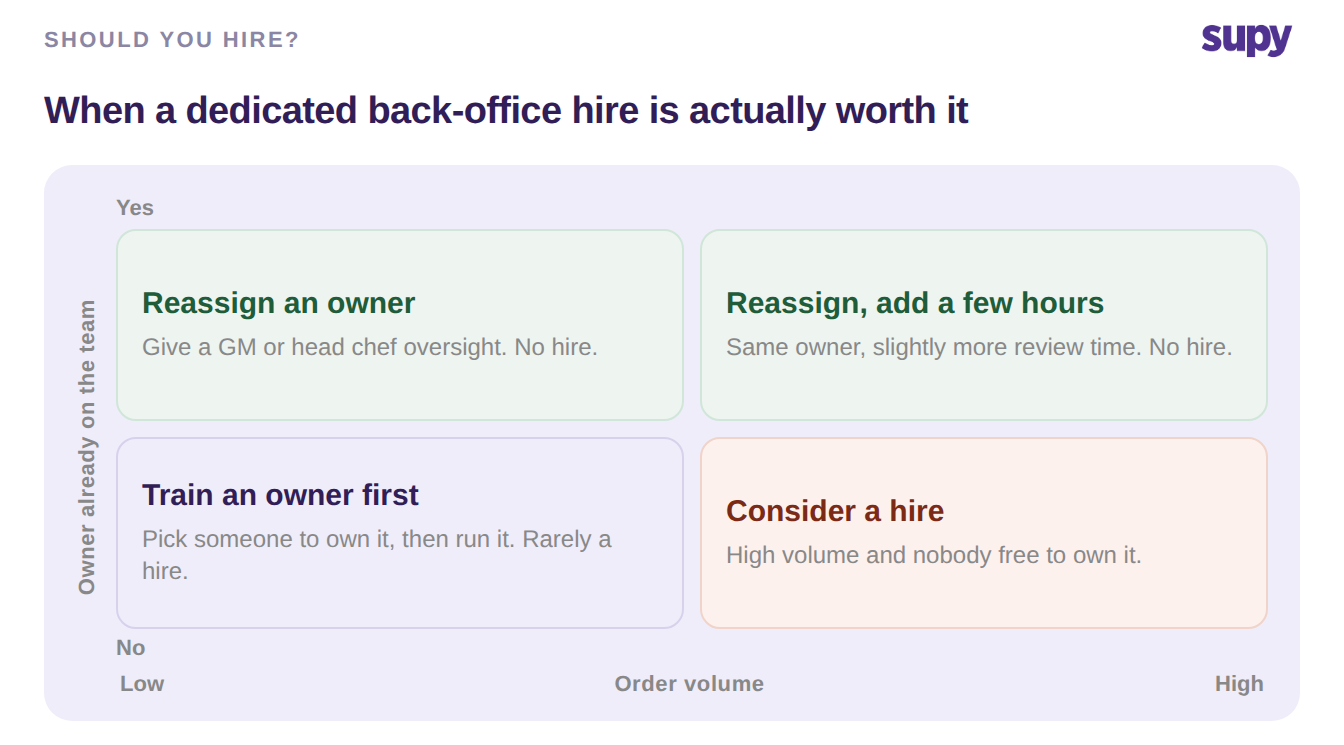
The honest exception is setup. Building the item list and connecting your accounting are real, one-time jobs that need a person for a week or two. After that, the day-to-day work is review, not data entry. The quadrant below shows when the answer flips from "reassign an owner" to "consider a hire".
What the Inventory Software Does, and What It Leaves You
The clearest way to decide on staffing is to split the back-office work into what the software does for you and what a person still does. Most of the load that operators assume needs a clerk is now automated, and what remains is oversight measured in minutes, not a full-time role.
Supplier invoices are a good example. With an invoice inbox, suppliers email invoices to a per-restaurant address, the software reads them, auto-matches each to its purchase order, and flags any price or quantity conflict. A person only touches the exceptions. Stock levels update themselves from every goods-received note and every recipe sale, so nobody re-keys usage. Ordering stays inside policy through templates and spending limits rather than through someone policing every order.
| Back-office task | Done by the software | What a person still does |
|---|---|---|
| Matching invoices to orders | Reads emailed invoices, auto-matches to the purchase order, flags price and quantity conflicts | Approve the flagged exceptions |
| Posting to accounting | Posts from the receiving screen to QuickBooks, Xero, NetSuite and others; un-posts automatically if a sync fails | Map the accounts once, at setup |
| Updating stock levels | Updates from every goods-received note and recipe sale, no manual entry | Nothing day to day |
| Catching duplicate invoices | Checks each new invoice against existing ones from that supplier before posting | Nothing |
| Keeping ordering standardised | Templates and spending limits keep buyers inside policy | Set the templates and limits once |
| Adding a delivered item | Receiver links or creates the item on mobile while receiving | Occasional tidy-up of the item list |
Read down the right-hand column. None of those is a job description. They are tasks an existing manager picks up in the flow of a normal week, which is why a dedicated back-office hire is rarely the right first spend for a lean group.
The Work That Genuinely Needs a Person
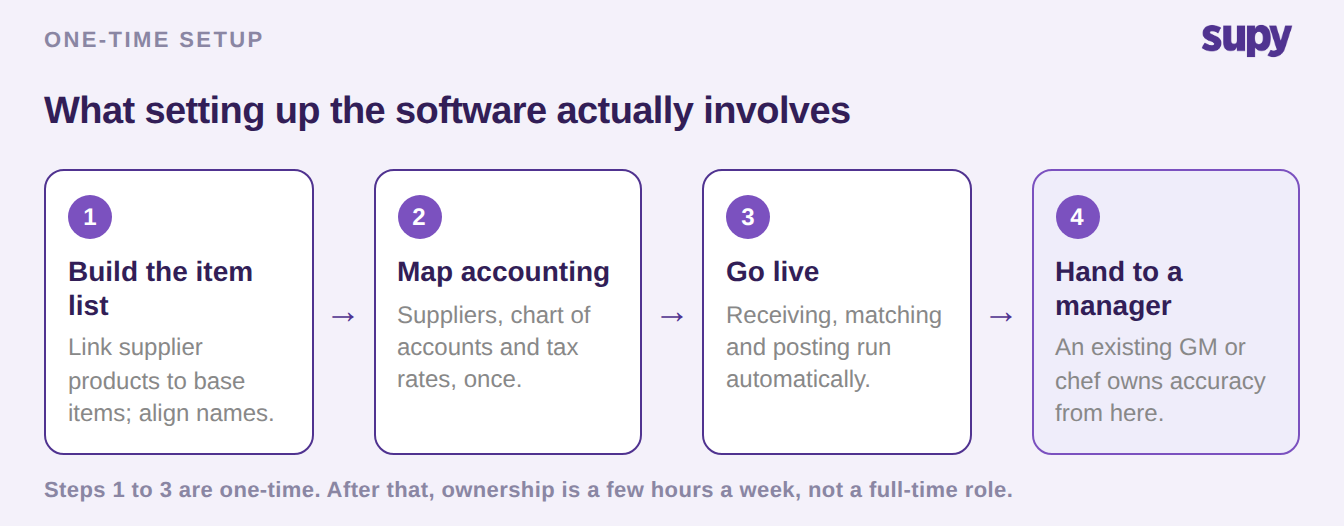
Being honest about the manual work is what makes this a decision and not a pitch. Two jobs genuinely need a person, and both are largely one-time. First, building the item list: linking each supplier product to a single base item, and aligning supplier names to the names your team uses. During onboarding this is where the real effort sits, because invoices and goods-received notes surface products that are not in the list yet and need merging by hand.
Second, connecting your accounting. Going live with an accounting integration means mapping suppliers, the chart of accounts and tax rates once. After that, every posting lands in the right place and nobody re-keys it. It is a multi-step setup, not a recurring chore.
After go-live, the ongoing job is small, and it is oversight rather than data entry. A person approves the exceptions the software flags and watches variance for anything odd. Periodic stock counts still happen, but the software cuts them by more than half. The one-time sequence below is what setup actually looks like, and where the person's real time goes.
Four Questions to Ask Before You Budget for a Back-Office Hire
Whether you need a hire comes down to volume, ownership and how much of the work your software actually automates. Ask these four questions, of your own operation and of any vendor in a demo, before you put a back-office role in the budget.
| Question to ask | What a strong answer sounds like |
|---|---|
| Does the software auto-match invoices to orders, or does someone key them in? | Invoices arrive by email and match themselves; a person only approves exceptions |
| Does it post to our accounting without re-keying? | One mapping at setup, then every posting syncs, with a safeguard if a sync fails |
| Can we cap and standardise ordering without policing it? | Templates and approval limits (up to 5 levels) keep buyers inside policy automatically |
| Is there an existing manager who can own accuracy for a few hours a week? | A GM or head chef owns it; the role is review, not full-time data entry |
If three of those four answers are yes, you are buying software, not a headcount. A lean group almost always runs restaurant inventory management software by giving an existing manager ownership, not by opening a new back-office vacancy. Keep the question open only where volume is genuinely high and no current role has room to own the numbers.