.jpeg)


Wie überregionale Restaurantteams die Lieferantenabstimmung mit E-Mail-Rechnungsverarbeitung automatisieren
Was ein Rechnungseingang für Restaurants tatsächlich leistet
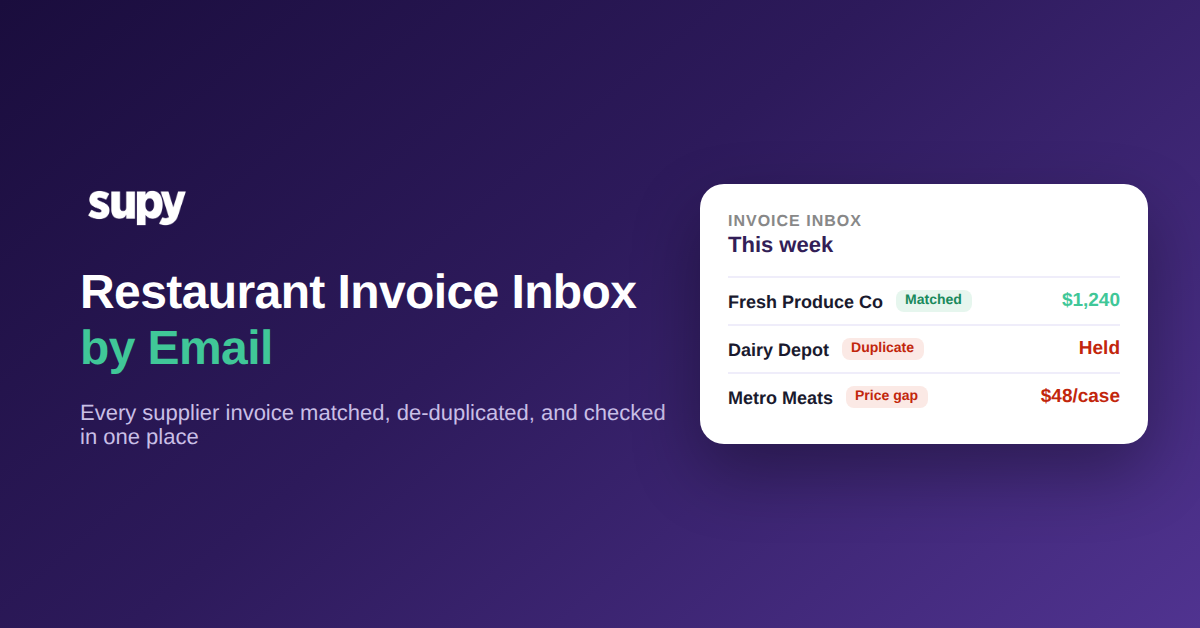
Ein Rechnungseingang für Restaurants ist eine einzelne E-Mail-Adresse, an die Ihre Lieferanten Rechnungen senden, wobei jedes PDF oder Foto automatisch ausgelesen, dem richtigen Lieferanten und der richtigen Bestellung zugeordnet und zur schnellen manuellen Prüfung in die Warteschlange gestellt wird, bevor es Ihren Bestand und Ihre Buchhaltung aktualisiert. Für ein überregionales Buchhaltungsteam bedeutet das, dass jede Lieferantenrechnung an einem Ort zur Verarbeitung eingeht, anstatt über persönliche Postfächer und gemeinsame Laufwerke verteilt zu sein.
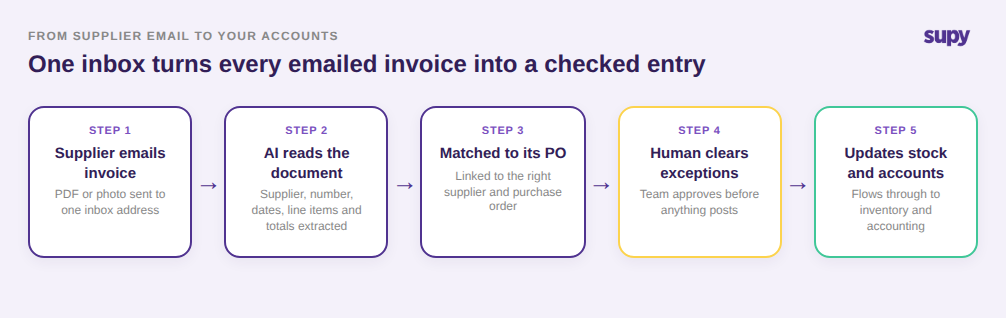
Das ist wichtig, weil E-Mail bereits der Hauptweg ist, über den die meisten Lieferanten Rechnungen versenden. Das Problem liegt nie in der E-Mail selbst, sondern darin, was nach ihrem Eingang passiert. In einem Unternehmen mit 8 Standorten und rund 40 Lieferanten kann ein Buchhalter in einer Woche 300 Lieferantenrechnungen erhalten, verteilt über Dutzende von individuellen Postfächern. Ohne einen gemeinsamen Posteingang muss jede Rechnung manuell gefunden, geöffnet, erfasst und abgeglichen werden — und die Rechnungen, die während eines geschäftigen Betriebs eingehen, sind genau die, die lautlos verschwinden. Dasselbe Problem löst ein dediziertes Rechnungserfassungssystem für Restaurants auf Gruppenebene.
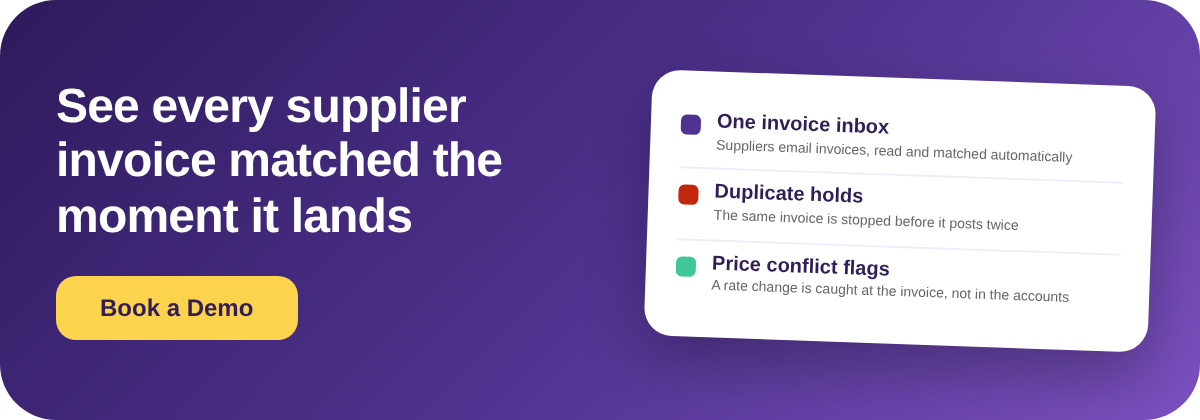
Supys Rechnungseingang liest Lieferant, Rechnungsnummer, Datumsangaben, Positionen, Preise, Steuern und Gesamtbeträge direkt vom Dokument ab — selbst wenn jeder Lieferant ein anderes Format verwendet — und ordnet die Rechnung automatisch der zugehörigen Bestellung zu. Nichts berührt Ihren Bestand oder Ihre Buchhaltung, bis eine Person die Ausnahmen genehmigt, sodass die Automatisierung die Arbeit beschleunigt, ohne Ihrem Team die endgültige Entscheidung zu nehmen.
Warum Ihr Team jede Woche dieselben Lieferanten erneut identifiziert
Der langsamste Teil der manuellen Rechnungsverarbeitung ist nicht das Ablesen der Zahlen. Es ist die wiederholte Angabe, von welchem Lieferanten jede E-Mail stammt. Ein Gemüselieferant, der drei Rechnungen pro Woche per E-Mail sendet, erzeugt drei separate Identifikationsschritte — es sei denn, der Posteingang kennt ihn bereits.
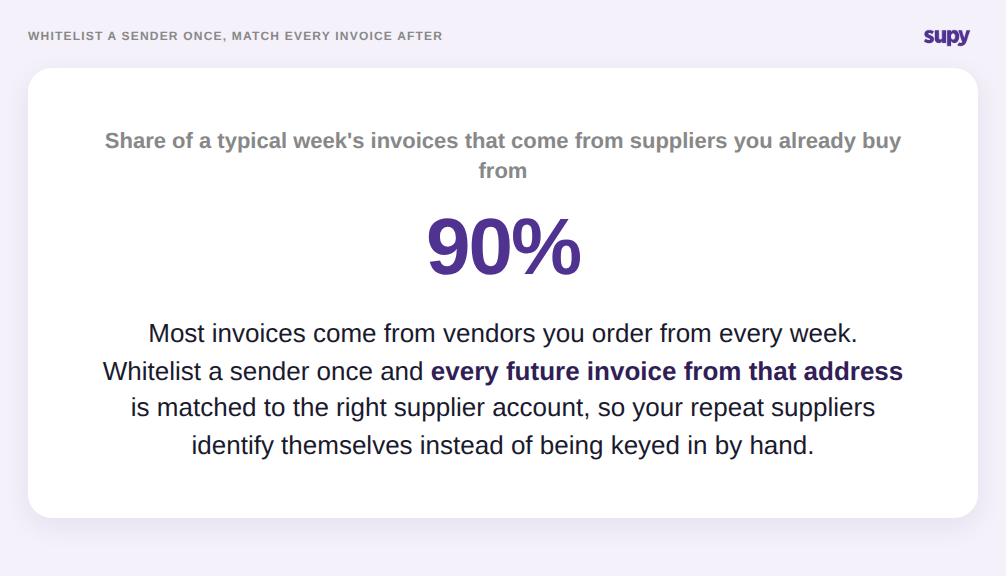
Die Freischaltung löst dieses Problem. Wenn Sie die Absender-E-Mail-Adresse eines Lieferanten freischalten, wird jede künftige Rechnung dieses Absenders automatisch dem richtigen Lieferantenkonto zugeordnet — ein regelmäßiger Lieferant wird einmalig identifiziert und danach nie wieder. In einer typischen Woche, in der 90 % der Rechnungen von Lieferanten stammen, mit denen Sie bereits regelmäßig zusammenarbeiten, entfällt damit die repetitivste Aufgabe des Buchhalters.
Die Freischaltung baut auch Rückstände ab. Wenn Sie einen Lieferanten zur Freischaltliste hinzufügen, kann der Posteingang die zuvor von diesem Absender zurückgehaltenen Rechnungen im gleichen Schritt neu verarbeiten — so holen Sie einen Stapel versäumter Rechnungen in einem Schritt nach, anstatt jede E-Mail einzeln suchen und neu einreichen zu müssen. Für ein Team, das bei der Einführung oder in einem geschäftigen Monat in Rückstand geraten ist, ist das der Unterschied zwischen einem sauberen Kassenbuch und einem Wochenende mit Nacharbeit.
Wie dieselbe Rechnung zweimal bezahlt wird — und wie der Posteingang es verhindert
Doppelte Rechnungen sind einer der kostspieligsten stillen Fehler in einer überregionalen Buchhaltungsabteilung. Ein Lieferant sendet eine Kopie erneut, ein Manager leitet dasselbe PDF von seinem Handy weiter, oder ein Kontoauszug kommt neben dem Original an — und dieselbe Belastung wird zweimal gebucht. Bei 40 Lieferanten und 300 Rechnungen pro Woche bedeutet selbst eine 3-%ige Duplikatquote, dass Geld für einmalig erhaltene Waren doppelt gezahlt wird.
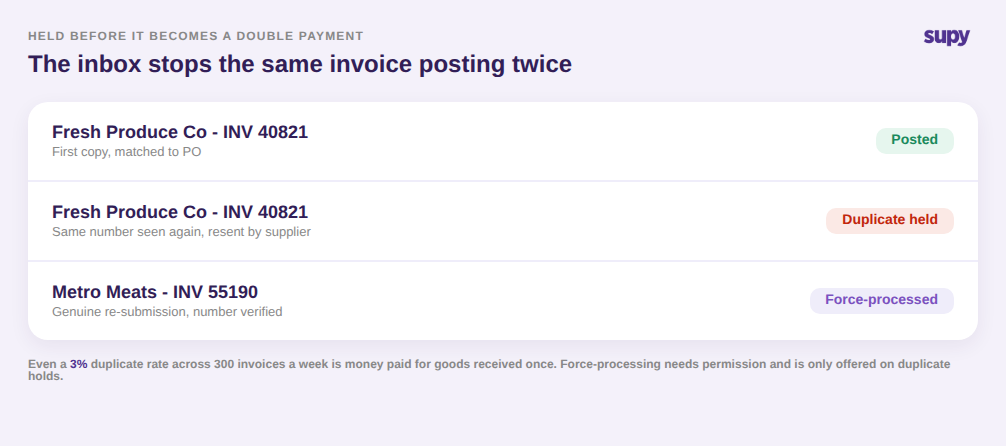
Der Posteingang erkennt dies, bevor daraus eine Zahlung wird. Wenn er feststellt, dass eine per E-Mail eingegangene Rechnung bereits empfangen und verarbeitet wurde, kennzeichnet er das Dokument als vermutetes Duplikat und hält es zur Prüfung zurück, anstatt es automatisch zu buchen. Ihr Buchhaltungsteam sieht die Ausnahme und klärt sie, anstatt die doppelte Buchung Wochen später in einer Bankabstimmung zu entdecken.
Echte Neueinreichungen kommen dennoch vor, weshalb die Kontrolle eine Hintertür hat. Ein Betreiber mit der entsprechenden Berechtigung kann ein zurückgehaltenes Dokument nach Prüfung der Rechnungsnummer zwangsweise verarbeiten — und diese Überschreibungsoption ist nur verfügbar, wenn die E-Mail gezielt wegen Duplikaterkennung zurückgehalten wurde. So bleibt eine echte Zweitlieferung in Bewegung, während es unmöglich wird, die falsche Art von Ausnahme aus Gewohnheit durchzuwinken.
Fehlerhafte Positionen abfangen, bevor sie in den Wareneinsatz fließen
Sobald eine Rechnung zugeordnet und auf Duplikate geprüft wurde, liegt das letzte Risiko in den Zahlen selbst. Ein falsch gelesener Preis oder ein Lieferant, der stillschweigend eine Rate erhöht hat, fließt direkt in Ihren Wareneinsatz und Ihre Rezeptkosten ein, wenn niemand prüft. Die automatisierte Extraktion ist schnell, kann aber bei einem unbekannten Rechnungsformat trotzdem eine Preisspalte falsch lesen — und ein falscher Kostenwert ist schlimmer als ein langsamer.
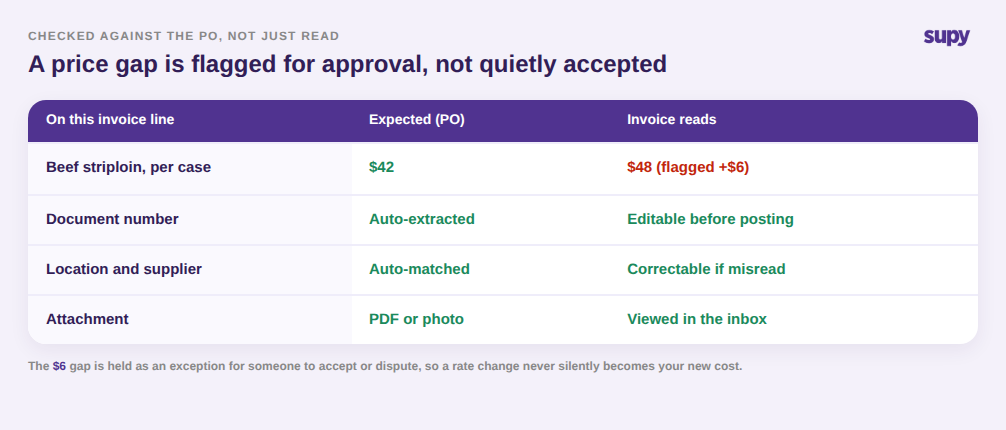
Der Posteingang ist so gestaltet, dass diese Prüfung schnell geht. Sie können eine per E-Mail eingegangene Rechnung — sowohl PDFs als auch Bildanhänge — direkt im Posteingang öffnen, ohne sie herunterzuladen; die prüfende Person sieht das Originaldokument neben den extrahierten Zahlen. Wo die Extraktion abweicht, können Sie Dokumentnummer, Standort und Lieferant auf der Rechnung korrigieren, bevor sie verarbeitet wird — statt es nachträglich zu korrigieren, nachdem es bereits den Bestand verschoben hat.
Preiskonflikte werden sichtbar gemacht, nicht versteckt. Wenn ein Rechnungspreis nicht mit dem erwarteten Bestellpreis übereinstimmt, markiert der Posteingang die Abweichung zur Genehmigung. Wurde eine Einheit zu $42 angeboten und die Rechnung lautet auf $48, wird diese $6-Differenz als Ausnahme zurückgehalten, bis jemand sie akzeptiert oder bestreitet — anstatt still zu Ihrem neuen Einstandspreis zu werden. Da Supy mit mehr als 75 POS- und Buchhaltungssystemen verbunden ist, erreicht die Rechnung Ihr Buchhaltungspaket erst, nachdem sie diese Prüfung bestanden hat. Dieselbe Disziplin liegt der Einkaufsbudgetkontrolle zugrunde, wo das Erkennen einer Änderung vor dem Rechnungseingang dafür sorgt, dass die Ausgaben im Plan bleiben.
Wo Sie anfangen sollten
Wenn Lieferantenrechnungen bei Ihrem Unternehmen noch immer in individuellen Postfächern eingehen, ist der schnellste Test, zu zählen, wie viele Lieferanten jede Woche dieselbe Person per E-Mail kontaktieren und wie oft zwei Kopien einer Rechnung bei Ihrem Buchhaltungsteam eingehen.
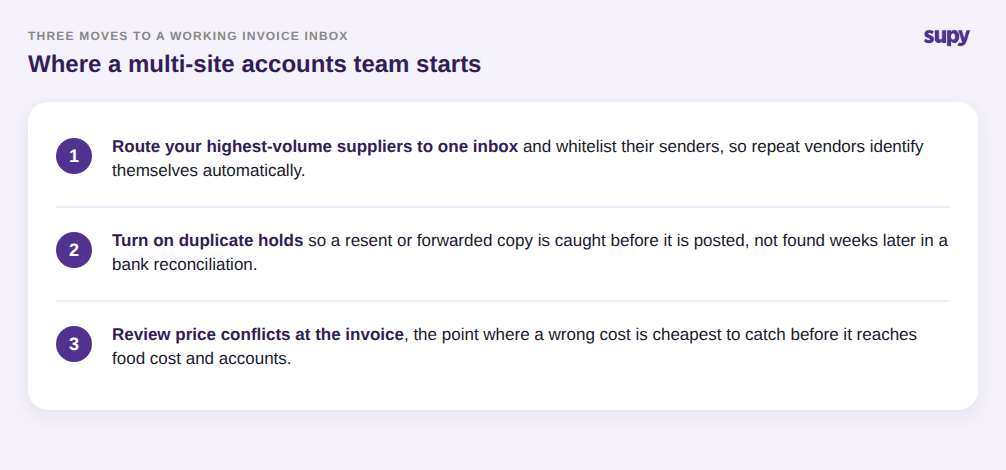
Beginnen Sie damit, Ihre umsatzstärksten Lieferanten an einen gemeinsamen Posteingang weiterzuleiten und deren Absender freizuschalten, damit sich wiederkehrende Lieferanten automatisch identifizieren und Duplikate zurückgehalten werden, bevor sie gebucht werden. Nutzen Sie dann die Ausnahmeprüfung bei Preiskonflikten, um Preisänderungen auf der Rechnung abzufangen — das ist der Punkt, an dem ein falscher Kostenwert am günstigsten zu korrigieren ist. Ein strukturierter Rechnungsposteingang ersetzt nicht Ihr Buchhaltungsteam; er übergibt ihm jede Lieferantenrechnung an einem Ort, bereits ausgelesen, zugeordnet und auf die kostspieligsten Fehler geprüft. Wenn Ihre Lieferanten bereits Rechnungen per E-Mail senden, ist eine bessere Rechnungsverarbeitung vor allem eine Frage der Weiterleitung an einen gemeinsamen Ort — und des Sichtbarmachens der Ausnahmen.