.jpeg)


Restaurant Invoice Processing 101: How to Eliminate Manual Data Entry
.jpg)
- What invoice processing should look like in a modern restaurant operation
- The hidden cost of manual entry (time, errors, missed credits)
- A simple, scalable invoice workflow that eliminates repetitive data entry
- The controls you need to keep finance comfortable (without slowing ops)
- How to roll this out across one site or 30+ locations
Invoice Processing in Restaurants: What It Actually Includes
Most teams treat “invoice processing” like a single admin task: type invoices into a system and file them away.
In reality, invoice processing is a financial control workflow that touches cost, inventory, procurement, recipe profitability, and month-end accuracy. A clean invoice process typically includes:
- Capturing invoices from suppliers (email, PDF, paper, WhatsApp photo)
- Extracting header and line-item details
- Matching to purchase orders and/or receiving records
- Validating price, quantity, unit, tax, and discounts
- Raising discrepancies (and requesting credits)
- Posting to accounting with consistent mappings
- Ensuring costs flow into COGS, recipes, and reporting
When any part of that chain is manual, inconsistent, or delayed, cost accuracy and operational discipline suffer.
Why Manual Data Entry Breaks at Scale
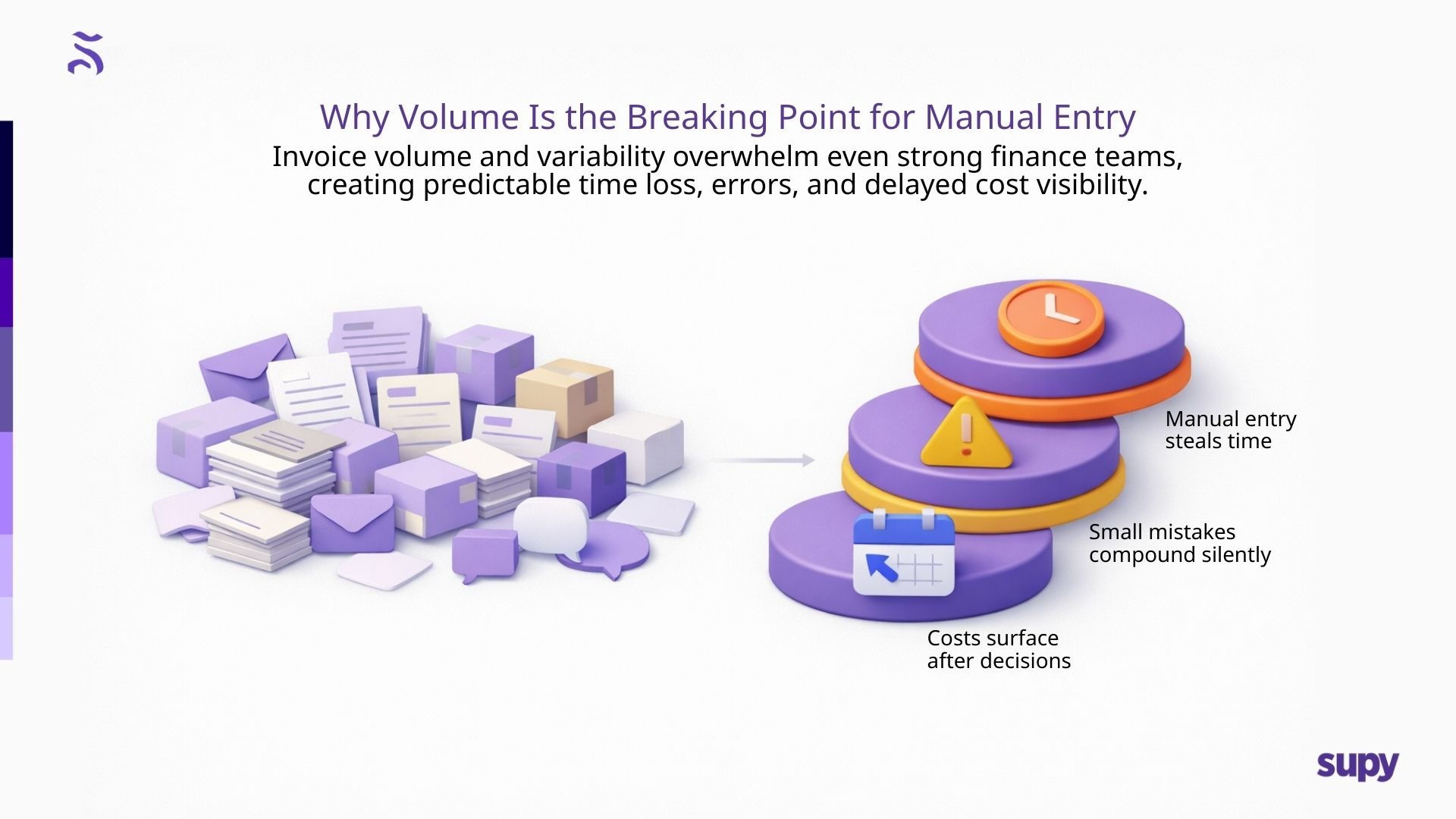
Manual entry fails for one reason: humans don’t scale across thousands of line items.
Even strong finance teams struggle with the volume and variability of restaurant invoices:
- Supplier naming inconsistencies
- Pack-size changes and substitutions
- Split invoices and partial deliveries
- Multiple formats, languages, and item descriptions
- Invoices arriving via multiple channels
Manual work introduces three predictable problems:
1) Time cost (and opportunity cost)
When finance teams spend hours typing invoices, they lose time for higher-value work: margin analysis, supplier negotiation support, and tighter controls.
2) Error risk
Small entry mistakes (wrong unit, wrong item mapping, mis-typed price) compound into reporting inaccuracies.
3) Delay
Late posting means costs hit the P&L after decisions have already been made. Operators end up managing yesterday’s data.
The “Clean Invoice Workflow” Model
If your goal is to eliminate manual data entry without losing control, the best model is:
Capture → Validate → Resolve → Sync
Capture: Invoices are collected consistently, regardless of source.
Validate: Line items are checked against approved or historical prices.
Resolve: Exceptions are surfaced quickly (price mismatches, missing items).
Sync: Once approved, invoices push cleanly into accounting and cost systems.
This creates two outcomes operators care about:
- Fewer surprises (cost drift is caught early)
- Faster financial accuracy (clean data flows through the operation)
Invoice Processing 101: A Practical SOP Operators Can Adopt
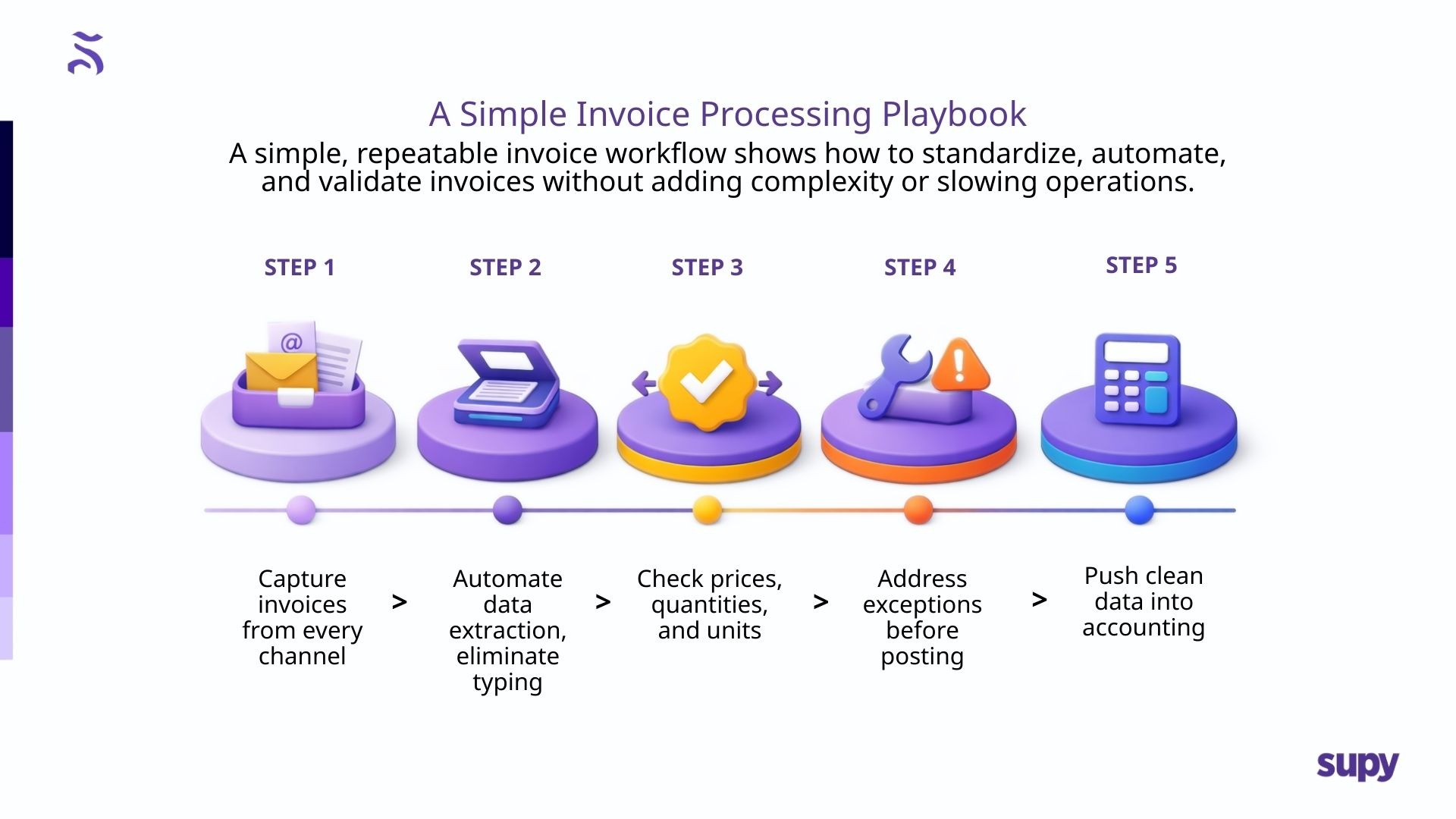
Below is a simple “playbook” you can implement across restaurants without overcomplicating it.
Step 1: Standardize invoice intake
Pick a consistent set of channels (email inbox + scan + upload). The goal is not perfect behavior; it’s reliable capture.
Step 2: Automate extraction (remove typing)
Move invoice details into structured data automatically: supplier name, invoice number/date, line items, taxes, totals.
AI-based invoice receiving tools do this by reading invoices across formats and extracting data consistently
Step 3: Validate what matters
Validation should focus on high-value controls:
- Price changes vs the last approved price
- Quantity mismatches vs receiving
- Pack-size shifts/unit changes
- Missing items or unexpected substitutions
Supy highlights the ability to capture invoice data and identify pricing/quantity conflicts.
Step 4: Resolve exceptions quickly
Make it easy for teams to:
- Approve legitimate changes
- Flag issues for suppliers
- Request credits when needed
- Maintain an audit trail of adjustments
Step 5: Sync clean data into accounting
Once invoices are validated, they should flow directly into accounting with consistent mappings. Supy supports accounting integrations such as Xero.
Where Automation Helps Most (and Where Humans Still Matter)
Operators sometimes worry automation means “giving up control.” In practice, the opposite happens when workflows are designed properly.
Automation should handle:
- Extraction and formatting
- Matching and line-level comparisons
- Exception flagging
- Structured posting preparation
Humans should handle:
- Approving exceptions
- Supplier follow-up and credit recovery
- Policy decisions (what’s allowed, what’s not)
- Monthly review and accountability
AI removes the typing - it does not remove responsibility.
Implementation Without Chaos: A Simple Rollout Plan
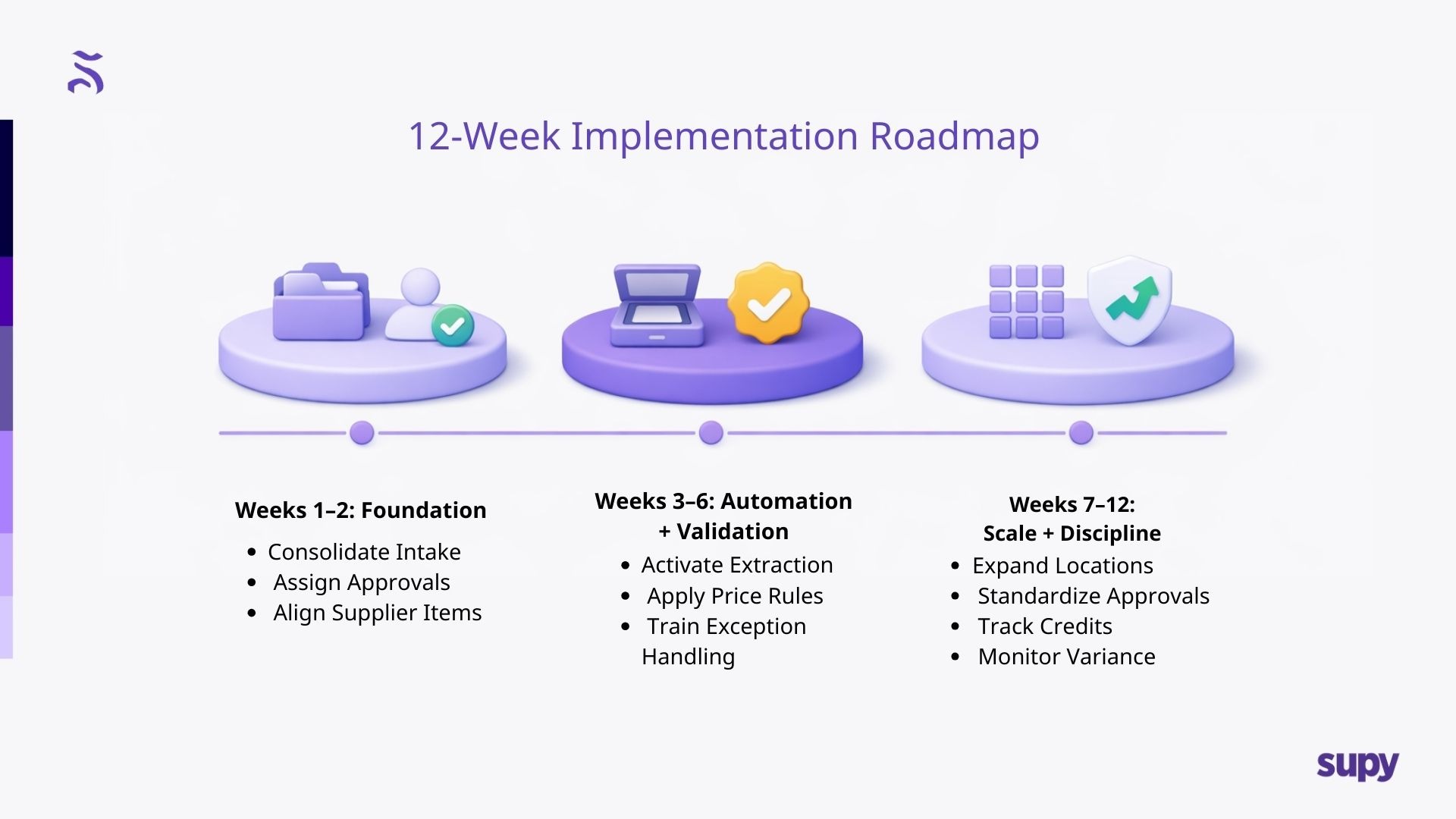
For most groups, invoice automation is easiest when rolled out in a controlled sequence.
Weeks 1 - 2: Foundation
- Consolidate invoice sources
- Establish who approves exceptions
- Align supplier item structures where possible
Weeks 3 - 6: Automation + Validation
- Turn on invoice extraction
- Implement price/quantity rules
- Train teams on exception handling
Weeks 7 - 12: Scale + Discipline
- Expand to more sites
- Standardize approval behavior
- Track credits, dispute cycles, and recurring supplier issues
This is where you move from “we digitized invoices” to real cost discipline.
How Supy Helps Eliminate Manual Data Entry (Without Being Heavy-Handed)
For operators looking to modernize invoice workflows, Supy supports the core requirements of a clean invoice process:
- AI invoice capture that extracts invoice header + line-item data
- Visibility into pricing or quantity conflicts, so exceptions are handled early
- Integrations with existing tech stacks via its integrations ecosystem
- Accounting connectivity (e.g., Xero) to reduce rework and improve consistency
The strategic value is straightforward: less manual effort, cleaner data, faster approvals, and better operational visibility - especially as locations and invoice volume increase.
If relevant, Supy’s invoice receiving feature page is here: Supy

.jpg)