المخزون

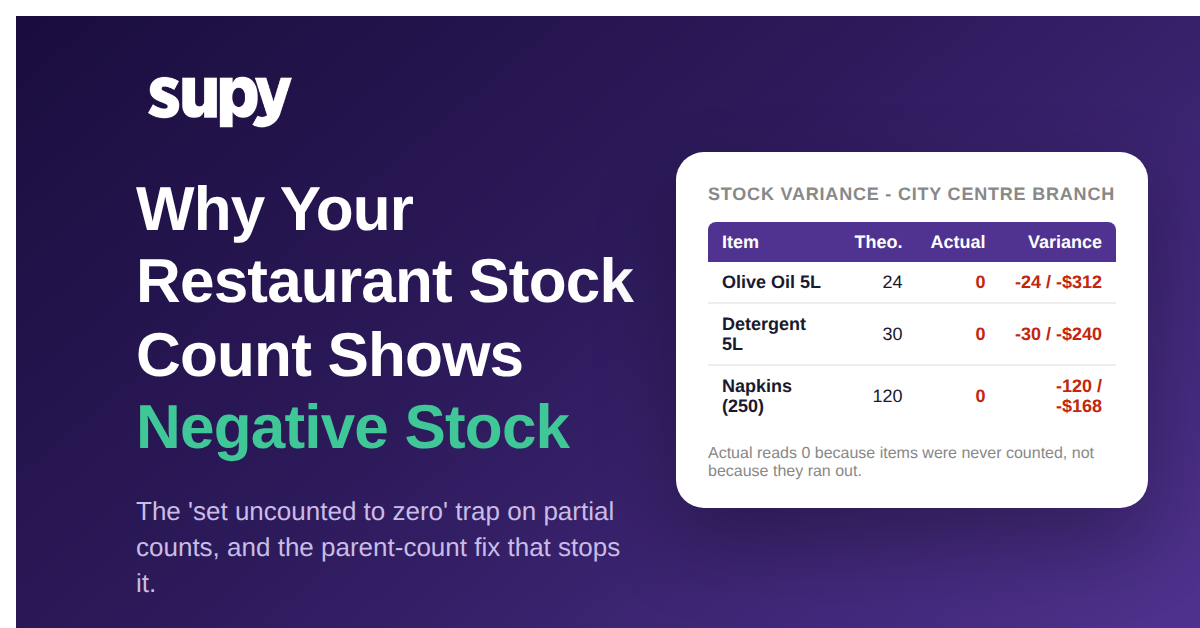
Set Uncounted Items to Zero: Why It Sends Your Stock Negative and How the Parent-Count Fix Stops It

What "Set Uncounted to Zero" Does to a Count That Is Not Finished

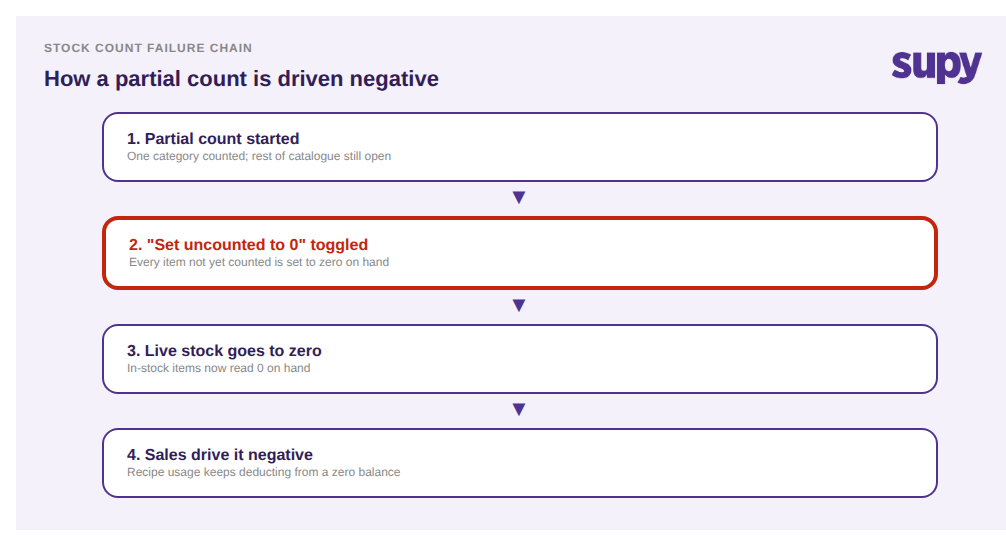
Setting uncounted items to zero tells the system that anything you did not count has none left on hand. On a finished, whole-location stock count that is exactly what you want. On a partial count it is a trap: every item you have not reached yet, including full cases sitting in the store room, is written down to zero, and your live stock is now wrong before a single sale happens.

The toggle itself is useful. It is how you clear out items that genuinely reached zero without typing a zero against each one. The problem is scope. The system cannot tell the difference between "counted and found to be empty" and "never counted at all" once the toggle fires. Both become zero. So the safety of the feature depends entirely on one condition being true: the count has to actually be complete when you apply it. On a partial count that condition is false, and the toggle quietly turns real inventory into a negative-stock problem you will spend the next week unwinding.

Failure chain showing how a partial count with the set-uncounted-to-zero toggle drives stock negative


Why Separate Per-Category Counts Leave Most Items "Uncounted"

Most operators who hit this are not being careless. They have split the count for a good reason. One person counts disposables, another counts cleaning supplies, another handles dry goods, and each runs their section as its own separate stock count so the work can happen in parallel. The intent is speed. The side effect is that during any single one of those counts, most of the catalogue is technically uncounted.

A 6-site catering group ran into exactly this. Each partial count only ever touched a slice of the roughly 475 items in the catalogue, so the moment anyone toggled "set uncounted items to zero" on their section, the other 87 to 94 percent of items were zeroed with it. One line item alone landed at minus $1,700. Because the counts were structured as separate events rather than one count with sections, there was no version of "uncounted" that meant "someone else is handling that" - it only ever meant "set this to zero."

That is the structural root cause. It is not the toggle and it is not the counter. It is that a per-category count treats the rest of the catalogue as absent rather than as pending, and the zero toggle then acts on that false reading.

Table showing three separate per-category counts each covering under 13 percent of the catalogue


How One Toggle Becomes Tens of Thousands of Negative Units

The reason this is worth fixing rather than shrugging off is scale. A wrong zero does not stay a single wrong number. Once an in-stock item reads zero, every recipe that uses it keeps deducting as dishes sell, so the balance runs straight past zero into negative territory. Then the next count has to correct not just the original zero but all the phantom usage on top of it.

A multi-branch restaurant group reviewing two consecutive monthly counts found roughly a 54,000-unit net variance between them - about 71,000 units negative against 17,000 positive. The bulk of that swing was not real shrinkage. It was introduced by count structure: items zeroed when they should not have been, then dragged negative by ongoing sales, then swinging back positive the moment they were finally recounted. Numbers that size do not come from theft or spoilage at a believable rate. They come from the mechanics above, repeated across sites and count cycles.

Stat callout showing a 54,000-unit net variance between two consecutive monthly counts


What Negative Stock Does to Your Variance and Cost Reports

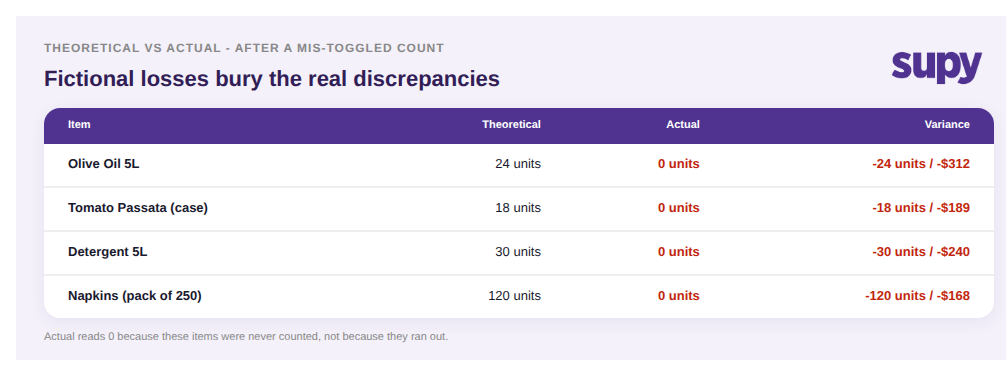
Negative stock is not a cosmetic glitch you can ignore until the next count. It corrupts every report that reads from on-hand balances. Theoretical-versus-actual variance is the clearest casualty: when actual stock reads zero or negative on items that are physically in the store room, the variance column shows enormous, fictional losses, and the real discrepancies you actually needed to investigate are buried under the noise.

A 14-venue hospitality group spanning restaurants, a central kitchen and a bakery traced roughly $28,000 of unexplained cost - a 14 percent variance swing at one site - not to theft or waste but to a stack of small stock-count and process gaps exactly like this one. The danger is not only the wrong number. It is that once a variance report has cried wolf a few times, managers stop trusting it, and a genuine loss then hides in plain sight behind the count-structure noise. A cost report you cannot trust is worse than no report, because it still drives decisions.

Theoretical versus actual variance table where zeroed items show large fictional losses


The Parent-Count Fix: Sub-Counts and a "Do Not Use" Section

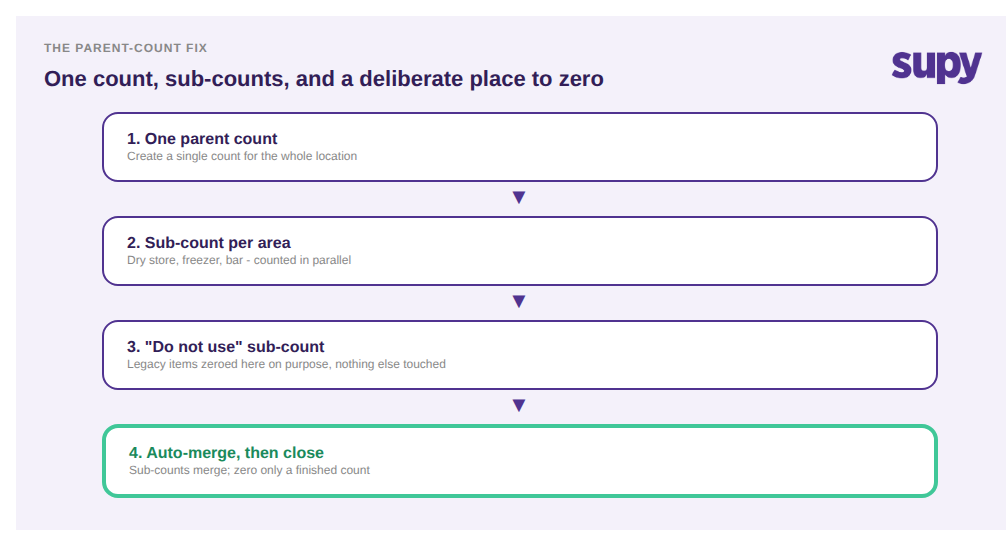
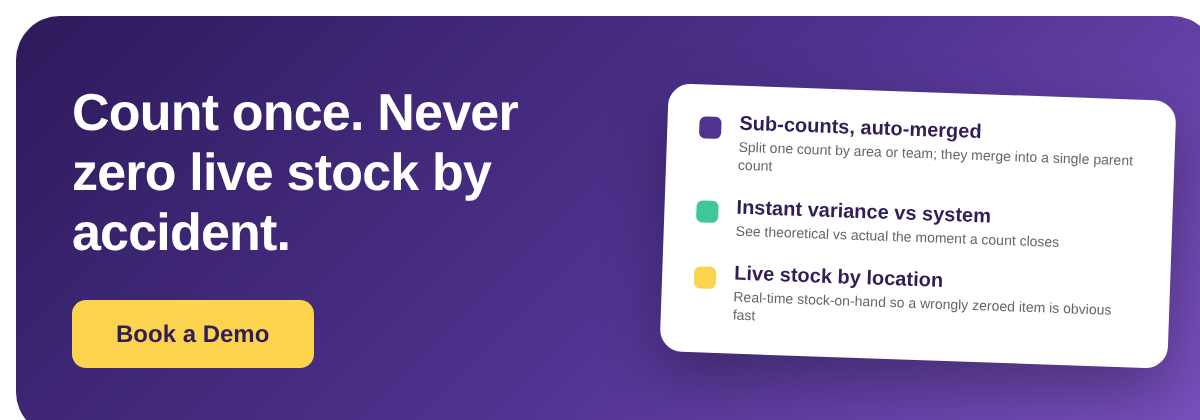
The fix is to stop running separate per-category counts and instead run one parent count for the location, divided into sub-counts. In Supy a single stock count can be split into sub-counts that several people work at the same time, and those sub-counts auto-merge into one parent count when they are done. That one change removes the trap: "uncounted" now means "another sub-count still has it," not "zero it," so the destructive toggle only ever applies once the whole location is genuinely counted.

For the legacy and discontinued items that made operators reach for the zero toggle in the first place, create a dedicated sub-count - a "do not use" section - and zero those items there on purpose. You get the clean-up you wanted without wiping live stock, because the zeroing is scoped to the items you actually chose. Live stock-on-hand by location stays visible throughout, and instant theoretical-versus-actual variance the moment the count closes tells you immediately if something looks wrong, rather than a week later.

Parent-count fix flow: one parent count, sub-counts per area, a do-not-use sub-count, then auto-merge


Before your next count, run a quick self-check. Are you creating one count per location or several separate counts per category? Does "set uncounted to zero" ever get toggled while any section is still open? Is there a deliberate home for legacy items, or are people using the zero toggle to clear them? If you are running fragmented counts and toggling zero on partial data, restructure to one parent count with sub-counts first - it is the single change that stops the negative-stock spiral at its source. See how stock counting and live stock visibility work together, and if you want the wider picture, our guide to stocktake failure modes across multi-site groups covers the other traps that distort a count.

Book a Demo with Supy - stop zeroing live stock during partial counts

Ready to optimize your restaurant operations?

مدونة

رؤيتنا التشغيلية

Your questions 
answered

Everything you need to know about Supy — from setup to integrations, pricing, and daily use. If it’s not covered here, just ask.

What does "set uncounted items to zero" do during a stock count?
+

What it does is tell the system that any item you did not count has none left on hand, and it writes those items down to zero automatically. On a finished count of a whole location that is exactly right, because an item you did not count really is empty. The catch is scope: the system cannot tell the difference between an item you counted and found empty and one you simply never reached. On a partial count, both become zero, so full cases sitting in the store room are recorded as zero on hand before any sale happens.

Why does setting uncounted items to zero create negative stock?
+

Why it goes negative is a two-step chain. First, the toggle zeroes items that are physically in stock but were not counted yet, so their on-hand balance drops to zero. Then normal trading continues: every recipe that uses those items keeps deducting stock as dishes sell. Because the balance already sits at zero, each sale pushes it below zero into negative territory. Nothing corrects it until the next full count. So a single wrong toggle on a partial count does not just create one wrong number, it seeds a balance that keeps falling for as long as the item keeps selling.

How does negative stock corrupt variance and cost reports?
+

How it spreads is through every report that reads from on-hand balances. Theoretical-versus-actual variance is hit hardest: when actual stock reads zero or negative on items that are really in the store room, the variance column shows huge fictional losses, and the genuine discrepancies you needed to find get buried. One 14-venue group traced about $28,000 of unexplained cost, a 14 percent variance swing at one site, to a stack of small count and process gaps like this. The deeper damage is trust: once a variance report cries wolf, managers stop believing it, and a real loss then hides behind the noise.

What is the difference between a parent count and separate per-category counts?
+

Separate per-category counts are individual stock-count events, one for disposables, one for cleaning supplies, one for dry goods, each unaware of the others. During any single one, the rest of the catalogue counts as uncounted, so the zero toggle is dangerous. A parent count is one count for the whole location, divided into sub-counts that different people work at the same time. The sub-counts merge back into that single count when done. The practical difference is what "uncounted" means: in separate counts it means "zero this," but in a parent count it means "another sub-count still has it."

How do sub-counts prevent items from being wrongly zeroed?
+

How sub-counts protect you is by keeping the whole location inside one count instead of many. In Supy a single stock count can be split into sub-counts that several people work in parallel, and those sub-counts auto-merge into one parent count when complete. Because every section belongs to the same count, an item another person is still counting is never treated as absent, so it cannot be caught by a zeroing step. You only ever apply "set uncounted to zero" to a count that is genuinely finished for the whole location, which is the one situation where zeroing the remainder is actually correct.

Should you ever use the "set uncounted to zero" toggle?
+

Yes, but only on a count that is genuinely complete for the whole location. Used that way, the toggle is a time-saver: it clears items that truly reached zero without you typing a zero against each line. The rule is simple. If every section of the location has been counted and merged, the toggle is safe and useful. If any part of the catalogue is still open, or you are running one of several partial counts, do not toggle it, because the system will zero real stock. Treat the toggle as the last action on a finished count, never a step applied mid-count.

How do you clear out legacy or discontinued items without wiping live stock?
+

How to retire old items cleanly is to give them a deliberate home rather than relying on a blanket zero. Create a dedicated sub-count, effectively a "do not use" section, and zero those specific items there on purpose. Because the zeroing is scoped to items you chose, live stock everywhere else is untouched. This solves the problem that pushed operators toward the risky toggle in the first place: they wanted to clear discontinued lines, but the only tool to hand zeroed everything uncounted. A scoped sub-count gives you the clean-up you wanted without the negative-stock fallout across the rest of the catalogue.

هل أنت مستعد لتطوير عملياتك؟

انضم إلى أكثر من 3500 مُشغلي مطاعم يخفضون التكاليف، ويبسطون العمليات، ويتخذون قرارات أكثر ذكاءً مع Supy