.jpeg)


POS-Integrationsdatenqualität im Restaurant: Warum „Mit dem POS verbunden“ nicht dasselbe ist wie saubere Bestandsdaten
Warum „Mit dem POS verbunden" nicht dasselbe ist wie saubere Bestandsdaten
Die POS-Integrationsdatenqualität eines Restaurants beschreibt, wie vollständig und genau Ihr Kassensystem Verkäufe an Ihr Bestandssystem weitergibt. Ist sie hoch, mindert jeder verkaufte Artikel die richtigen Zutaten in den richtigen Mengen. Ist sie niedrig, weichen Ihre Bestands- und Lebensmittelkostenzahlen ab – auch wenn beide Systeme technisch verbunden sind.
Das Back-of-House-Inventar misst nicht direkt, was das Regal verlassen hat. Es berechnet es: Der POS meldet, was verkauft wurde, Rezepte übersetzen jeden Verkauf in Zutaten, und der Bestand wird entsprechend reduziert. Damit ist der POS-Feed das Rohmaterial für jeden Theoretischer-Verbrauch-, Abweichungs- und Kostenwert, den Sie ausweisen. Ist der Feed unvollständig oder falsch zugeordnet, sind alle nachgelagerten Berechnungen falsch – egal wie gut das Bestandstool ist.
„Verbunden" bedeutet nur, dass eine Verbindung zwischen den zwei Systemen besteht. Es sagt nichts darüber aus, ob die Daten, die hindurchfließen, vollständig, den richtigen Feldern zugeordnet und täglich zuverlässig ankommen. Multi-Standort-Gruppen spüren das am härtesten, weil sie selten ein einziges POS betreiben: Sie erben, was jede Filiale, jeder Markt oder jede Übernahme bereits hatte. Ein einziges schwaches Glied in diesem System verfälscht still die Gruppenzahlen, auf die alle oberhalb der Filiale vertrauen.
Sechs POS-Integrationslücken, die die Bestandsgenauigkeit still untergraben
Das sind die sechs Fehlerbilder, auf die Multi-Standort-Betreiber am häufigsten treffen. Keines kündigt sich an. Jedes taucht später als unerklärliche Abweichung, eine Lebensmittelkostenzahl, der niemand traut, oder eine Inventur auf, die nie aufgeht. Arbeiten Sie die Liste das nächste Mal durch, wenn Ihre Zahlen sich seltsam anfühlen.
1. Der POS-Anbieter gewährt keinen API-Zugriff
Manche POS-Anbieter öffnen keine API, und manche können es tatsächlich nicht. Der IT-Leiter einer 12-Standort-Gruppe traf genau das: Der POS legte die Daten schlicht nicht offen. Kein Back-of-House-Tool kann eine verschlossene Tür aufbrechen. Stellen Sie vor dem POS-Kauf schriftlich sicher, dass er eine API oder einen unterstützten Export bereitstellt. Für eine Liegenschaft, die bereits ein geschlossenes System betreibt, ist der pragmatische Schritt, Warenwirtschaftssoftware mit der breitesten Connector-Abdeckung und einem unterstützten Importpfad zu wählen – damit der Feed zumindest geplant und nicht gänzlich absent ist. Supy verbindet sich zu diesem Zweck mit 75+ Integrationen über POS, Buchhaltung, ERP und Aggregatoren.
2. Nischen- oder Regional-POS ohne fertigen Connector
Eine vier-Standort-Gruppe meldete, dass mehrere ihrer POS-Plattformen, darunter nischige Regionalsysteme, keine einfach zu integrierende Verbindung boten. Multi-Territorium-Gruppen erben das ständig: Der Marktführer in einem Land ist im nächsten unbekannt. Wenn Ihr Bestandstool nur die zehn größten globalen Namen unterstützt, reduziert der Verkauf einer Filiale niemals den Bestand, und deren Abweichung ist bedeutungslos. Achten Sie auf eine Connector-Abdeckung, die ausdrücklich regionale und nicht gelistete Systeme einschließt, nicht nur ein kurzes Verzeichnis der üblichen globalen Plattformen.
3. Gewichtsbasiert verkaufte Artikel werden als Menge 1 exportiert
Ein Fine-Dining-Betreiber stellte fest, dass sein POS gewichtsbasiert verkaufte Artikel mit einer fixen Menge 1 exportierte – unabhängig vom tatsächlich verkauften Gewicht. So reduziert eine 0,34-kg-Ribeye-Portion den Bestand als „1" von irgendetwas, und die Zahl ist ab dem ersten Verkauf falsch. Das ist die stillste und schädlichste Lücke, weil nichts fehlerschlägt: Das System läuft, der Bericht wird erstellt, die Mathematik ist schlicht falsch. Prüfen Sie die Einheitenzuordnung für jeden nach Gewicht oder Volumen verkauften Artikel, und stellen Sie sicher, dass jedes Rezept mit dem richtigen POS-Menüpunkt verknüpft ist, damit die richtige Zutat in der richtigen Einheit reduziert wird. Wenn Kisten, Gramm und Stücke in Ihren Inventuren ständig kollidieren, finden Sie die Mechanik in unserem Leitfaden zur Umrechnung von Maßeinheiten im Restaurantbestand.
4. Ein fehlender Drittanbieter-Liefermarktplatz-Feed
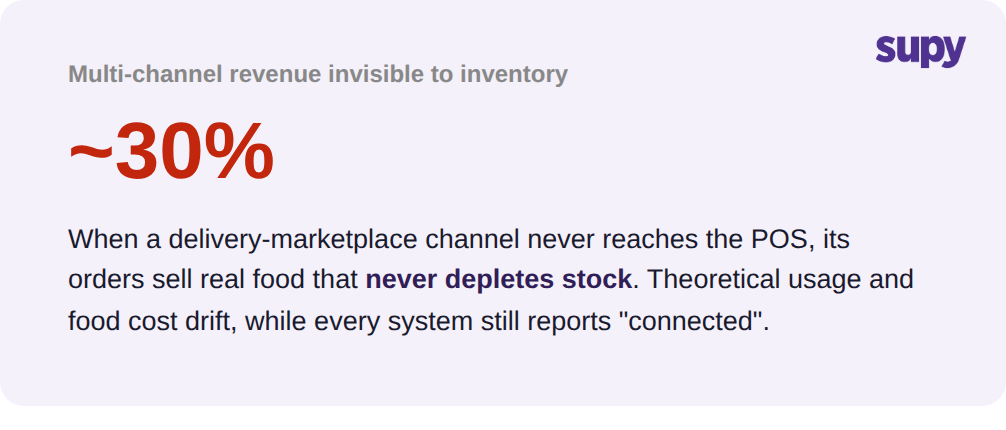
Eine Multi-Outlet-Gruppe stellte fest, dass ihre POS-Integration keinen direkten Feed von einem großen Liefermarktplatz hatte – was rund 30 % der Multi-Channel-Umsätze für den Bestand unsichtbar ließ. Diese Bestellungen verkaufen echtes Essen, das den Bestand nie reduziert, sodass der theoretische Verbrauch künstlich niedrig und die Abweichung künstlich hoch erscheint. Mit wachsendem Lieferanteil wächst diese Lücke. Bestätigen Sie, dass jeder Verkaufskanal – einschließlich jedes Lieferaggregators – den POS und dann das Bestandssystem erreicht, nicht nur Ihre Dine-in-Tickets.
5. Wiederkehrende Datenabruffehler bei einem bereits „verbundenen" POS
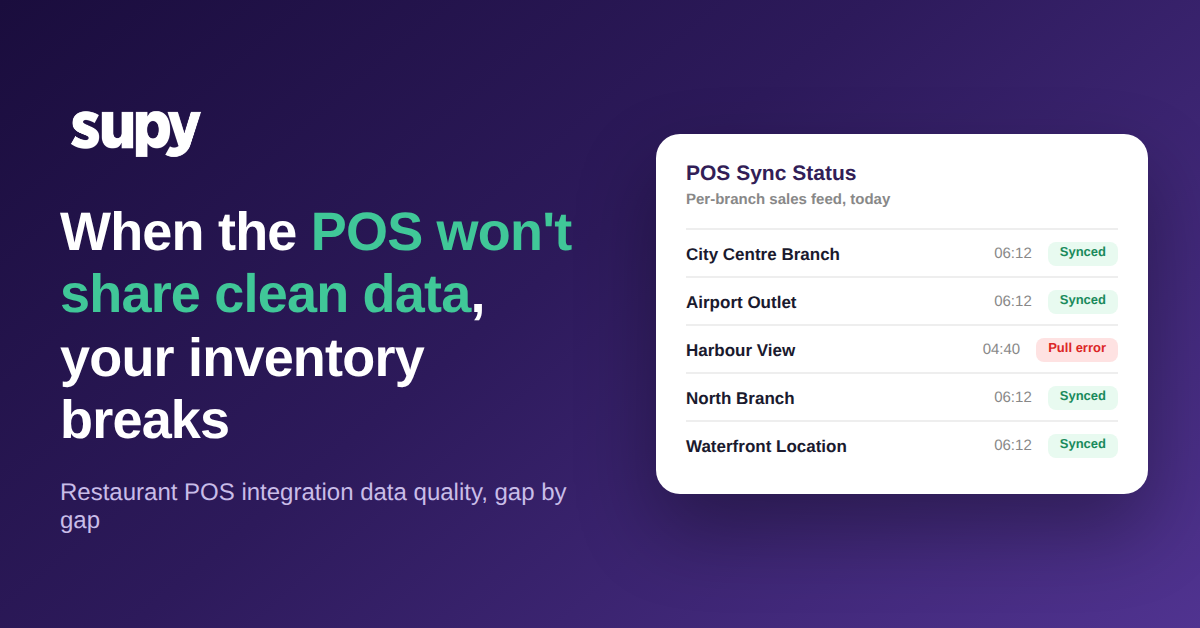
Betreiber, die von einem Legacy-POS-eigenen Bestandstool migrierten, berichteten von wiederkehrenden Datenabruffehlern, die auch dann anhielten, wenn die Systeme als verbunden angezeigt wurden. Eine einmalig hergestellte Verbindung ist nicht dasselbe wie ein täglich zuverlässig ankommender Feed. Schlimmer noch: Ein verpasster Abruf löst selten einen Alarm aus; er taucht als scheinbarer Schwund auf, der Manager auf der Jagd nach Diebstahl schickt, den es nie gab. Bestehen Sie auf einem pro-Filiale überwachbaren Sync, damit ein fehlgeschlagener Abruf als Datenfehler sichtbar wird statt in Ihre Abweichung einzufließen.
6. Essen vor Ort und Mitnahme auf doppelten Produkten aufgeteilt
Manche POS-Setups erzwingen, dass dasselbe Gericht als zwei separate Produkte existiert – eines für Essen vor Ort, eines für Mitnahme. Wenn nicht beide dem gleichen Rezept zugeordnet sind, zählt der Verbrauch entweder die Zutaten doppelt oder lässt einen Kanal ganz aus. Prüfen Sie Ihre Speisekarte auf doppelte Artikel, und ordnen Sie jede Variante einem einzigen Rezept zu, damit ein Verkauf denselben Bestand mindert – egal welches Produkt ihn erfasst hat.
Sechs POS-Integrationslücken und was jede nachgelagert bricht
| Integrationslücke | Was sie nachgelagert bricht |
|---|---|
| POS-Anbieter verweigert oder kann API-Zugriff nicht gewähren | Kein sauberer Verkaufs-Feed erreicht den Bestand |
| Nischen- oder Regional-POS ohne fertigen Connector | Verkäufe einer Filiale reduzieren den Bestand nie |
| Gewichtsbasierte Artikel als Menge 1 exportiert | Bestandsreduzierung und Lebensmittelkostenmathematik still verfälscht |
| Fehlender Drittanbieter-Liefermarktplatz-Feed | Rund 30 % der Multi-Channel-Umsätze nie erfasst |
| Wiederkehrende Datenabruffehler bei verbundenem POS | Lücken wirken wie Schwund, nicht wie Datenfehler |
| Essen vor Ort und Mitnahme auf doppelten Artikeln aufgeteilt | Verbrauch zählt doppelt oder lässt einen Kanal aus |
So testen Sie eine POS-Integration auf Herz und Nieren, bevor sie Ihre Zahlen verfälscht
Sie müssen nicht auf eine schlechte Inventur warten, um diese Lücken zu finden. Die obige Liste wird zu einem Fünf-Punkte-Diagnose, den Sie an einem Nachmittag, pro Filiale, durchführen können – bevor schwache POS-Integrationsdatenqualität ein Quartal der Berichterstattung leise untergräbt.
Beginnen Sie mit der Zuordnung jedes Feldes und bestätigen Sie, dass jedes POS-Feld dort landet, wo das Bestandssystem es erwartet. Prüfen Sie Einheiten und Gewichte, sodass gewichtsbasiert verkaufte Artikel tatsächliches Gewicht statt einer Menge 1 tragen. Gleichen Sie jeden Kanal ab und bestätigen Sie, dass Dine-in, Mitnahme und jeder Liefermarktplatz ankommen. Beobachten Sie die Abrufe, damit ein verpasster Sync jemanden alarmiert statt im Schwund zu verschwinden. Bestätigen Sie schließlich die Abdeckung über die gesamte Liegenschaft – einschließlich jedes Regional-POS, das leicht vergessen wird.
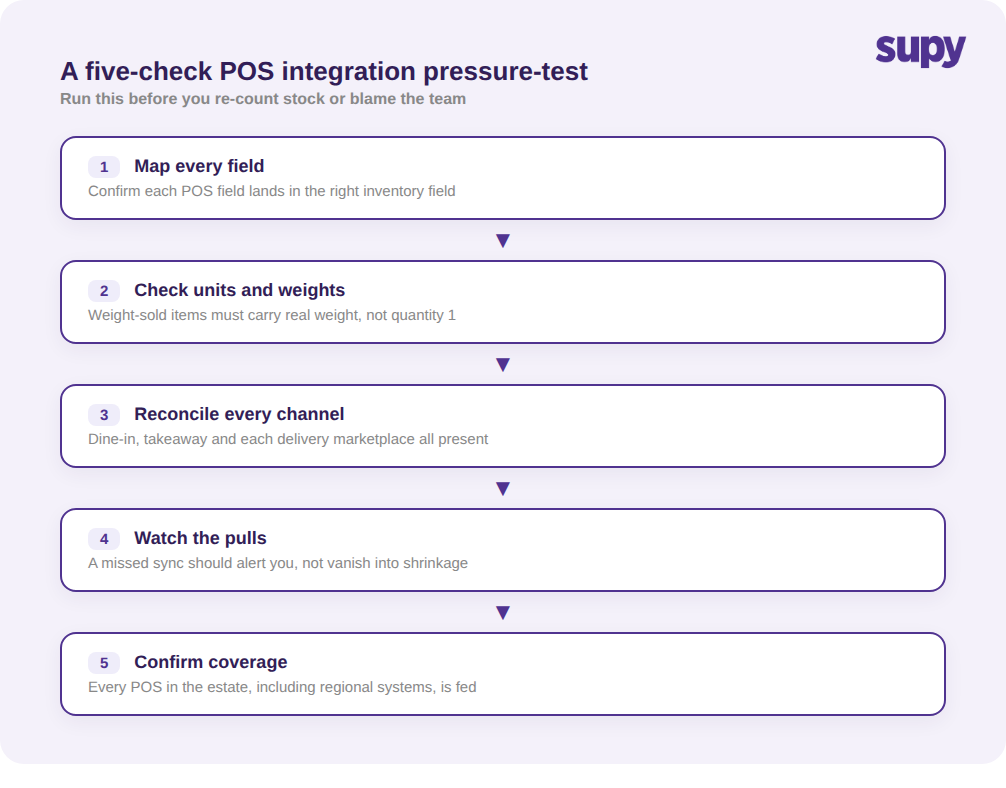
Der schnellste Hinweis ist eine einzelne Abfrage: Ziehen Sie die Abweichung zwischen Theoretischem und Tatsächlichem Verbrauch der letzten Woche für einen hochvolumigen, gewichtsbasiert verkauften Artikel in einer Filiale. Ist die Abweichung groß und stabil in einer Richtung, sehen Sie mit fast sicherer Wahrscheinlichkeit einen Zuordnungs- oder Feed-Fehler – keinen Personalfehler oder Diebstahl. Beheben Sie die Daten, bevor Sie den Bestand erneut zählen oder das Team neu schulen, denn eine Nachzählung mit fehlerhaftem Feed liefert nur eine frische falsche Zahl.
Bestandsgenauigkeit im großen Maßstab ist zunächst ein POS-Datenproblem und erst dann ein Back-of-House-Problem. Die Gruppen, die ihre Zahlen zuverlässig halten, behandeln den Verkaufs-Feed als Infrastruktur: breite Connector-Abdeckung, damit jede Filiale versorgt wird; korrekte Feld- und Einheitenzuordnung, damit jeder Verkauf den richtigen Bestand mindert; und ein überwachter Pro-Filiale-Sync, damit ein stilles Versagen nicht als Schwund durchgeht. Supy wurde für diese gemischte, multiregionale Realität entwickelt und hält die Echtzeit-Warenübersicht an das geknüpft, was jeder POS tatsächlich verkauft hat.