.jpeg)


مبيعات نقاط البيع التي لا تتطابق مع نظام المخزون: السببان الجذريان وكيفية المطابقة
أولاً: حدّد أيّ النوعين من التعارض بين نقاط البيع والمخزون تواجه
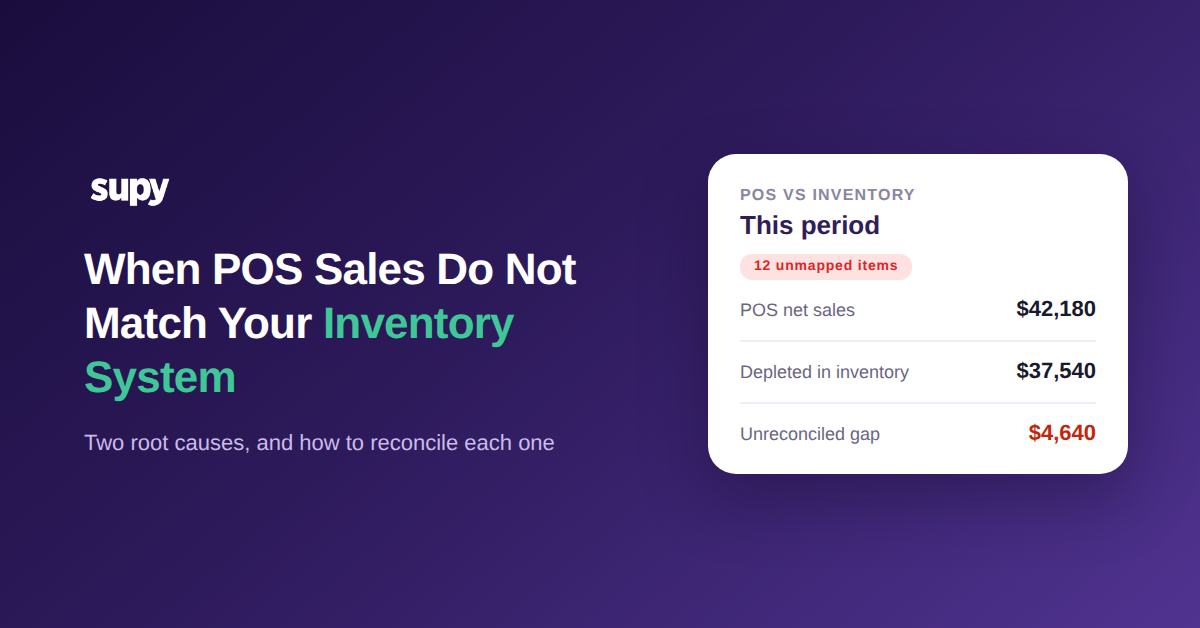
عندما يختلف نظام نقاط البيع ومنصة المخزون لديك بشأن ما بِعتَه — عندما لا تتطابق مبيعات نقاط البيع مع المخزون — فإن السبب لا يكون عشوائياً في الغالب. في كل حالة تقريباً، يكمن الأمر في أحد شيئين: إما أن المبيعات بدأت بالتدفق قبل ربط وصفاتك، وإما أن تغييراً لاحقاً في نقاط البيع أفسد ربطاً كان يعمل. حدّد أيّهما تواجه قبل أن تُصلح أي شيء.
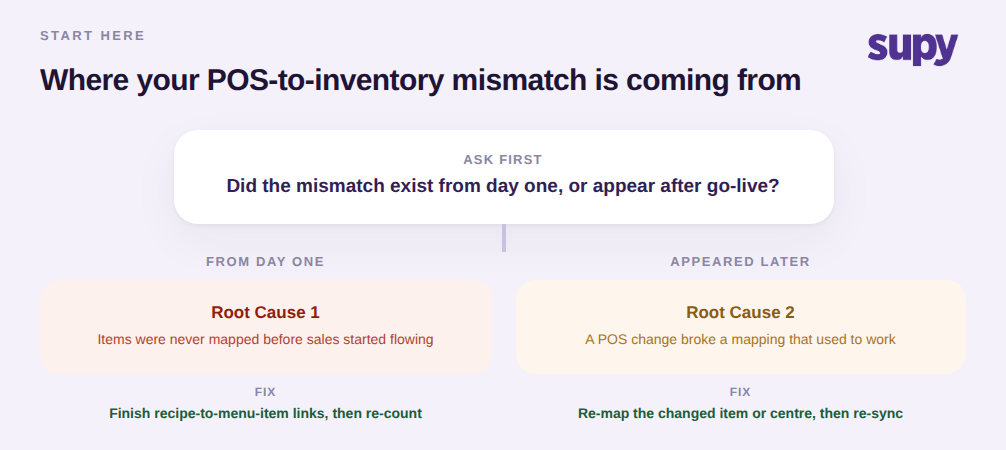
هذا السؤال الواحد — هل كان التعارض موجوداً منذ اليوم الأول، أم ظهر بعد الإطلاق — يفصل تقريباً كل الحالات بوضوح، لأن السببين يحتاجان إصلاحين متعاكسين. الفجوة منذ اليوم الأول تعني أن الروابط لم تُكتمل قط. الانحراف الذي يظهر بعد أشهر يعني أن شيئاً ما تحرّك في نقاط البيع ولم يُخبَر به جانب المخزون. دون تسمية المشكلة، يمكن أن يبقى التعارض دون حل لأربعة أشهر، ويُحوّل لوحة معلومات دفع المشغلون مقابلها إلى شيء يتوقفون عن فتحه. ابدأ بالقرار أدناه، ثم انتقل إلى القسم المناسب.
عندما تبدأ المبيعات بالتدفق قبل ربط عناصر القائمة
هذا هو أكثر إخفاقات المطابقة شيوعاً عند الانطلاق. تُشغَّل تغذية المبيعات للوصول إلى تاريخ الإطلاق، لكن ربط الوصفة بعناصر القائمة لم يُكتمل بعد. كل فاتورة لعنصر غير مربوط تُسجَّل في النظام كإيراد، لكن بما أن عنصر القائمة هذا غير مرتبط بوصفة، لا تُستنزَل أي مكونات منه. تبدو المبيعات صحيحة تقريباً بينما يتوقف المخزون بهدوء عن التحرك، فيتشعّب الاستخدام النظري والفعلي ومعهما أرقام التكلفة.
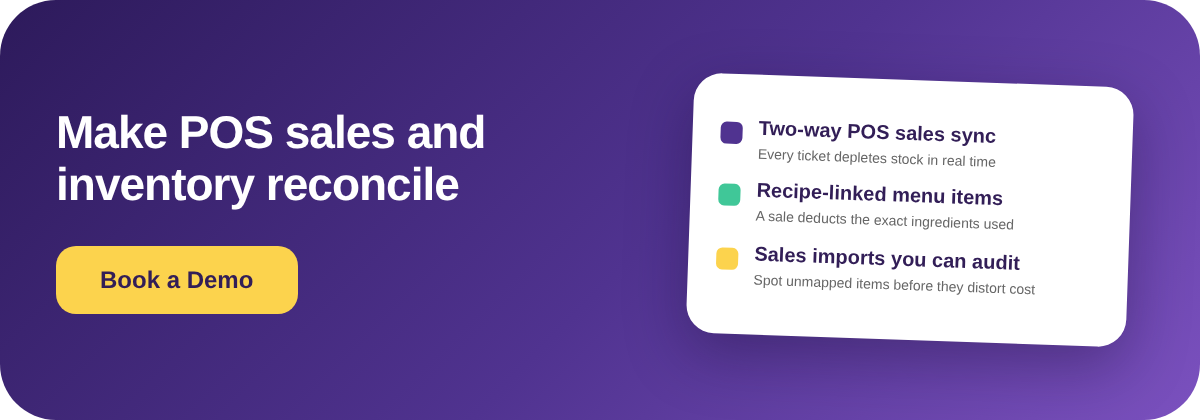
الإصلاح هو استكمال الروابط، لا إعادة استيراد البيانات. كل عنصر قائمة يمكن لنقاط البيع بيعه يجب أن يشير إلى الوصفة التي يستهلكها، بحيث تخصم عملية البيع الواحدة المكونات الصحيحة، بما في ذلك الإضافات. ربط الوصفات وعناصر القائمة في Supy هو ما يُغلق هذه الفجوة: اربط كل عنصر مباع بوصفته مرة واحدة، وسيبدأ الاستنزال بالتدفق فور وصول الفاتورة. افعل هذا لكامل القائمة قبل أن تثق بتقرير التباين، وأجرِ جرداً مرة واحدة لمنح النظام خطاً أساسياً دقيقاً للقياس منه.

عندما لا يصل تغيير نقاط البيع إلى المخزون
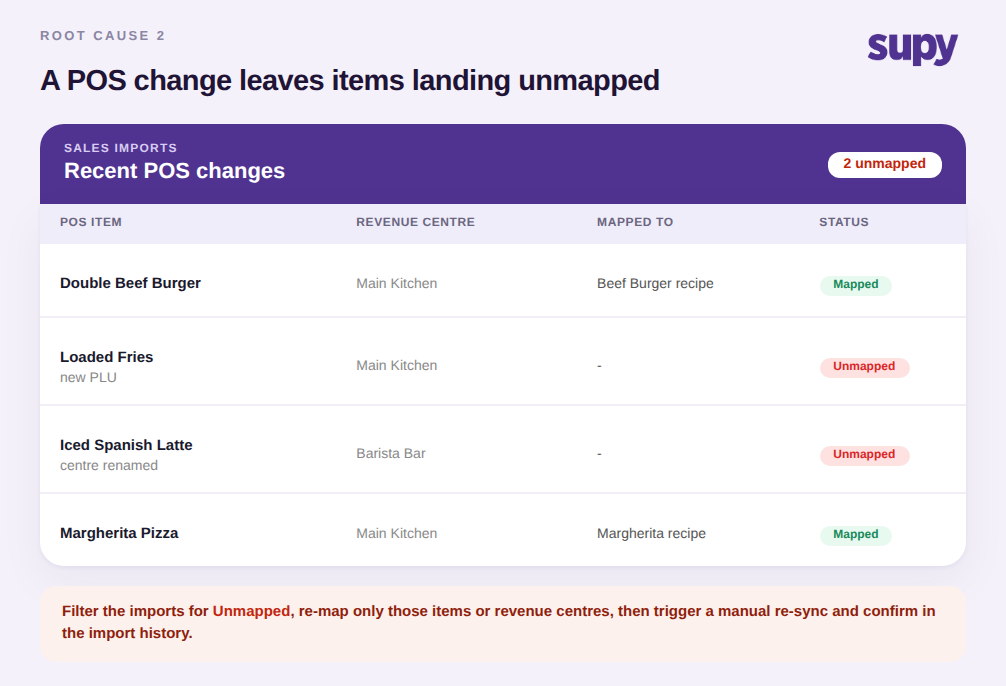
السبب الثاني يبدو مختلفاً لأن كل شيء كان يتطابق. ثم قام أحدهم في جانب نقاط البيع بإعادة تسمية مركز إيرادات، أو أضاف رمز PLU جديداً لعنصر موسمي، أو قسّم عنصر قائمة واحد إلى اثنين. لا شيء من هذه التعديلات خاطئ، لكن جانب المخزون لا يزال يتوقع الأسماء القديمة، فتصل العناصر المُعدَّلة الآن دون ربط وتتباعد الأرقام من جديد. لم يُفسد أحد شيئاً بقصد؛ ببساطة خرج النظامان عن التزامن.
المطابقة هنا تعني إعادة ربط ما تحرّك ثم التأكد منه. تُظهر شاشة التكاملات استيرادات مبيعاتك الواردة، فيمكنك تصفيتها للعناصر التي وردت دون ربط وإصلاح تلك العناصر فحسب بدلاً من إعادة بناء كل شيء. بالنسبة للموفرين الذين يستخدمون مراكز الإيرادات، يمكنك ربط عدة مراكز داخل فرع واحد بموقع مخزون واحد، وهو ما يلتقط مركزاً مُعاد تسميته أو مُضافاً حديثاً. بعد إعادة الربط، أطلق مزامنة يدوية وتحقق من سجل الاستيراد لتأكيد أن الفواتير التي كانت غير مربوطة سابقاً تصل الآن بشكل صحيح.
الفحص الذي يتجاهله الجميع: هل يعمل تكاملك في الاتجاهين؟
قبل أن تُحمِّل أي ربط المسؤولية، تأكد من وصول المبيعات أصلاً. بعض الاتصالات التي تُسمّى تكامل نقاط البيع لا تُصدِّر البيانات إلا من نقاط البيع؛ ولا تكتب المبيعات أبداً إلى المخزون. إذا كان هذا ما لديك، فكل فاتورة يجب رفعها يدوياً والتغذية الآلية التي توقعتها غير موجودة، لذا فإن أي قدر من إعادة الربط لن يُطابقها قط. هذا هو الفخ الذي يكتشفه المشغلون بعد الإطلاق فحسب، حين يدركون أن التغذية المباشرة الموعودة كانت أحادية الاتجاه طوال الوقت.
تأكد من الاتجاه أولاً: خلال أسبوع تداول عادي، هل يتطابق تقريباً عدد المبيعات المستوردة مع الفواتير التي سجّلتها نقاط البيع؟ إذا كان صفراً بينما تُظهر نقاط البيع أكثر من ألف فاتورة، فلديك تغذية أحادية الاتجاه لا مشكلة ربط. الإصلاح هو اتصال حقيقي ثنائي الاتجاه — يتصل Supy بأكثر من 75 تكاملاً عبر كبرى منصات نقاط البيع — وحيث لا يوجد موصّل أصلي لنقاط البيع الإقليمية على الإطلاق، فإن الجواب الصادق المؤقت هو استيراد مُدار مجدوَل، لا وعد بمزامنة فورية مباشرة. إذا أردت السياق الأشمل، فهذه التعارضات إحدى شرائح فجوات جودة بيانات نقاط البيع التي تُشوّه المخزون بهدوء. استبعد اتجاه التغذية قبل أن تقضي فترة كاملة في فحص روابط كانت صحيحة طوال الوقت.

تنفيذ المطابقة بهذا الترتيب
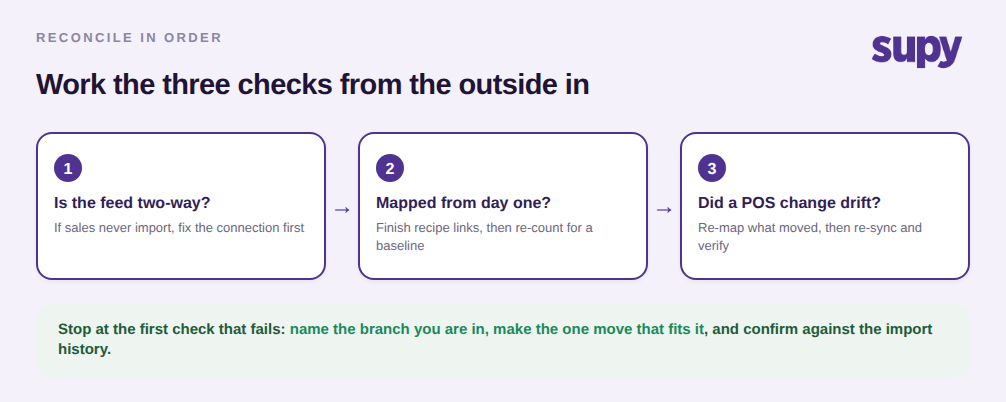
اعمل على الفحوصات الثلاثة من الخارج إلى الداخل، وتوقف عند أول إخفاق. أولاً: تأكد من أن التغذية ثنائية الاتجاه — إذا لم تصل المبيعات قط، فأصلح الاتصال قبل أي شيء آخر. ثانياً: إذا كان التعارض موجوداً منذ اليوم الأول، فأكمل روابط الوصفات بعناصر القائمة عبر كامل القائمة وأجرِ جرداً للحصول على خط أساسي نظيف. ثالثاً: إذا كانت الأرقام تتطابق ثم انحرفت لاحقاً، فابحث عن التغيير الأخير في نقاط البيع، وأعد ربط العنصر أو مركز الإيرادات الذي مسّه، وزامن من جديد. سمِّ الفرع الذي أنت فيه، واتخذ الخطوة الواحدة المناسبة له، وتأكد من سجل الاستيراد قبل أن تثق بلوحة معلومات مجدداً.