.jpg)


Goods Received Note (GRN) Management for Multi-Site Restaurant Groups: Where Receiving Breaks Down Across Locations And How To Fix It
The finance manager at a six-site group opens the receiving screen to reconcile a week of deliveries and hits a wall. The goods received note filter shows records for one location only, the locations field comes back blank, and there are no cost-centre totals to allocate received value against the accounting ledger. Every branch received against the same supplier accounts, but the numbers cannot be split back out. Month-end stops before it starts.
That is the real shape of goods received note (GRN) management once a group grows past a single kitchen. A GRN looks like a clerical step, a box you tick when a delivery arrives. In a multi-site group it is actually the control point where quantity, price, and accountability get locked in. Get it right and cost data flows clean into accounting. Get it wrong and the errors compound across every location before anyone in finance sees them. This piece walks through the four failures multi-site and multi-cost-centre groups hit most, and the controlled receiving workflow that closes each one.
What Goods Received Note Management Actually Controls in a Multi-Site Group
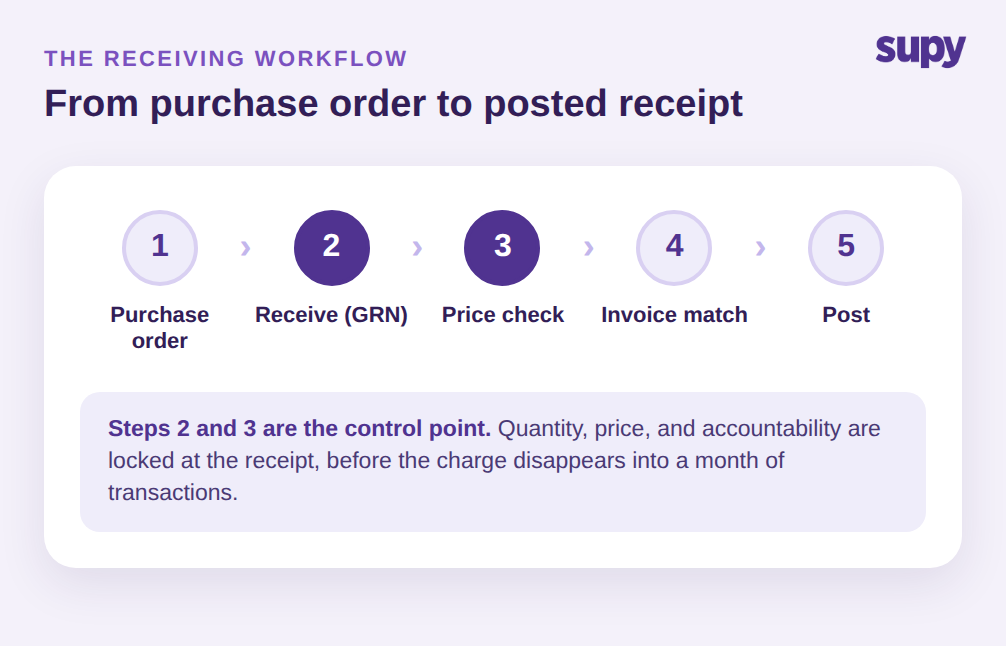
A goods received note is the record of what physically arrived against a purchase order: which items, what quantity, and at what price. For a single restaurant, that is close to a confirmation slip. For a group running several branches and cost centres off shared supplier accounts, the GRN is the moment three separate things are decided at once.
First, cost allocation. The received value on a GRN is what should land against a branch and a cost centre in the ledger, so if the receipt cannot be split by location the whole allocation breaks. Second, price accuracy. The receipt is the last clean checkpoint to compare what was ordered against what was invoiced, before the charge disappears into a month of transactions. Third, accountability. Someone posted that receipt, someone may need to reverse it, and someone will change a price. Who is allowed to do each is a control in its own right.
The controlled version of the restaurant goods receiving process treats all three as deliberate design, not afterthoughts. It runs from purchase order to GRN in one click, keeps quantity and price editable on receipt, and carries the result straight into invoice matching and posting. When that flow is loose, the failures below are what show up in finance six weeks later.
The reason these problems concentrate in multi-site groups, rather than single restaurants, is scale of repetition. A single kitchen receives a handful of deliveries a day and the manager sees every one. A group receives across many branches, shifts, and receivers, all touching the same supplier accounts, so a small error at one dock is invisible until it is aggregated with dozens of others. The controls below are not about adding bureaucracy to receiving; they are about making the receipt carry enough structure that finance never has to reverse-engineer what happened at each branch.
Received Value You Cannot Allocate Across Cost Centres
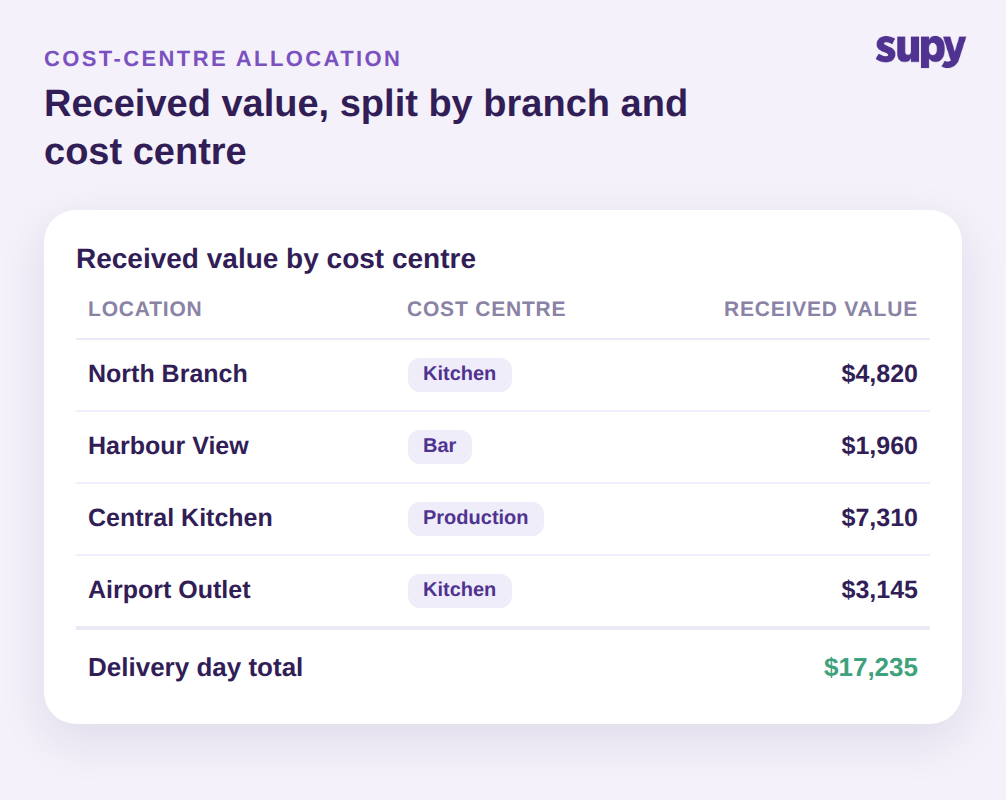
The first failure is the one that stops reconciliation cold. In many systems the GRN list filters to the location that raised the order, leaves the locations field empty, and reports no cost-centre dollar totals. A group with four cost centres receiving against one supplier account cannot tell how much value belongs to the North Branch kitchen versus the Central Kitchen production line. The received total is correct in aggregate and useless for allocation.
The fix is receiving that carries location and cost centre on every line and totals received value by both. Instead of one undifferentiated number, finance sees the received value broken out: North Branch kitchen at $4,820, Harbour View bar at $1,960, Central Kitchen production at $7,310, and Airport Outlet kitchen at $3,145, adding to $17,235 for the delivery day. Supy also lets a single GRN be assigned across multiple locations, so a consolidated delivery to a central point can still be split back to the branches that consumed it. That is the difference between a receipt you can post to the ledger and one that forces a manual spreadsheet every month. For the wider control picture, our guide to restaurant procurement covers how this allocation problem starts upstream at the order.
Prices That Slip Through at the Receiving Dock
The second failure is the expensive one. Suppliers invoice above the contracted rate more often than most operators realise, and without a price-discrepancy control at receipt the overcharge is only caught weeks later, if at all. By then the invoice is paid and the money is gone.
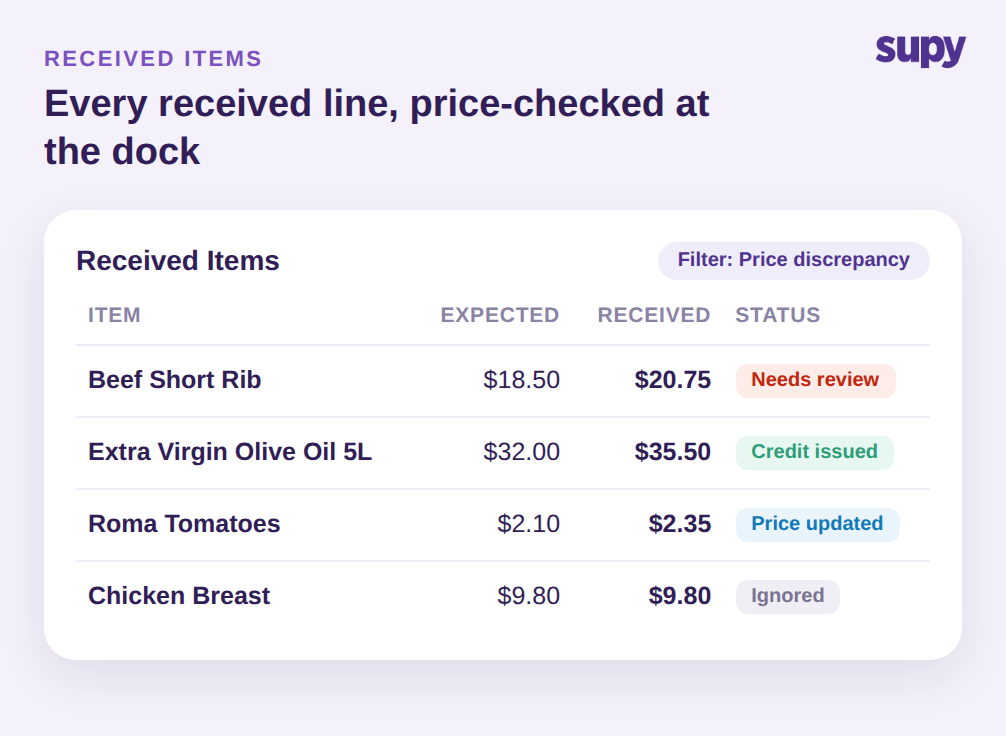
The receiving dock is the right place to catch it, because the contracted price and the received price sit side by side on the same screen. Take one line: beef short rib contracted at $18.50 per kg arrives invoiced at $20.75 per kg. That is $2.25 per kg, roughly a 12 percent overcharge, or $90 on a 40 kg delivery. One line, one delivery. In a group receiving hundreds of lines a week, a handful of undetected overcharges like that quietly add up to thousands of dollars a month.
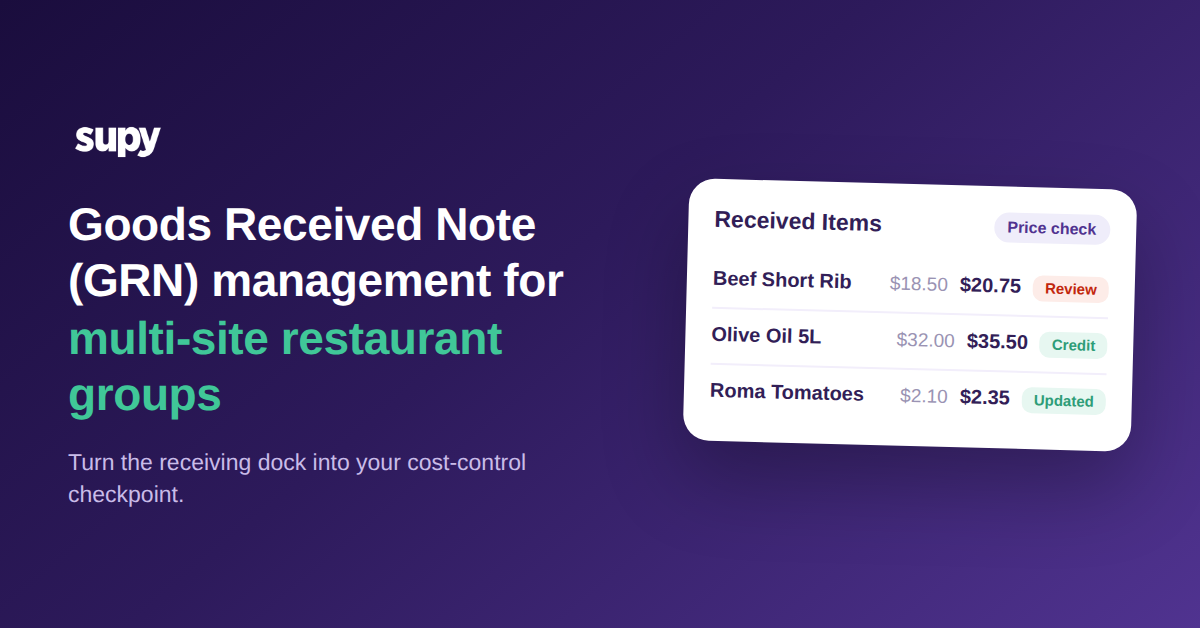
A controlled workflow surfaces every received line on a dedicated view that defaults to a price-discrepancy filter, with a status on each line: Needs review, Price updated, Credit issued, or Ignored. From that view the receiver can update the expected price, generate a supplier-contact email, or open the GRN to raise a credit note directly. When the olive oil comes in at $35.50 against a $32.00 contract across 20 tins, that is a $70.00 credit note (CN-118) raised at receipt, not a write-off discovered at month-end. Groups that want the invoice side automated as well can pair this with restaurant invoice scanning software so the match runs before anyone keys a number. A configurable auto-dispute threshold lets small, acceptable variances pass while flagging the ones worth chasing.
Corrections That Force a Full Delete and Rebuild
The third failure is a time sink rather than a cost leak, and it shows up in two forms. A GRN created as a delivery note and later converted to an invoice can, in some systems, no longer have its price edited, so the only way to correct it is to delete the whole thing and recreate it. Separately, unposting or reversing a GRN is often locked to a super-admin role, so a routine branch-level correction has to wait for someone two levels up. Both turn a small fix into a stall.
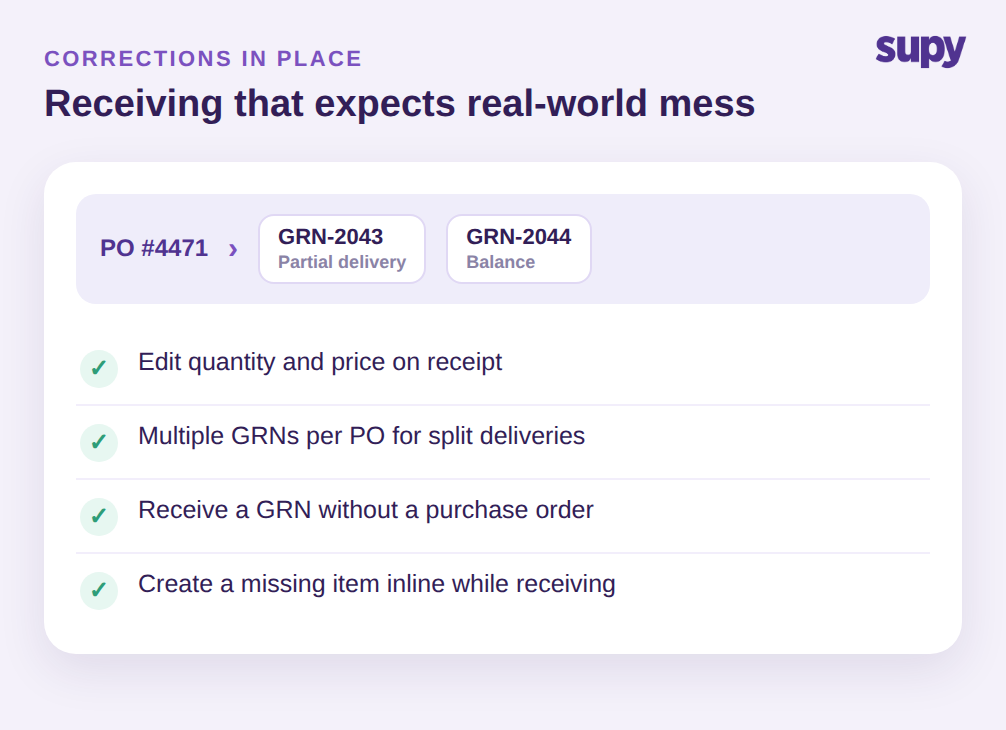
The controlled answer keeps quantity and price editable on receipt, supports multiple GRNs against one purchase order for split deliveries, and allows a GRN without a purchase order when stock arrives ahead of the paperwork. Corrections happen in place. It also handles the case where an arriving item is not yet in the catalog: the item can be created inline from the GRN page during receiving, so an unrecognised item does not block the whole delivery. A recent item-model refactor improved sync reliability across ordering, GRNs, and supplier returns, so those inline additions flow through cleanly rather than stranding the receipt. The point is simple: a receiving process that expects real-world mess, split loads, missing items, wrong prices, does not punish the branch for correcting it.
Making Every Receipt Auditable and Role-Gated
The fourth failure is quieter and more dangerous: no clear record of who did what. When corrections mean delete-and-recreate, the trail of what actually happened disappears with the deleted record. And when every role can post, reverse, and reprice freely, there is no control at all; lock it all to super-admin and the branches stall. Neither extreme works for a group.
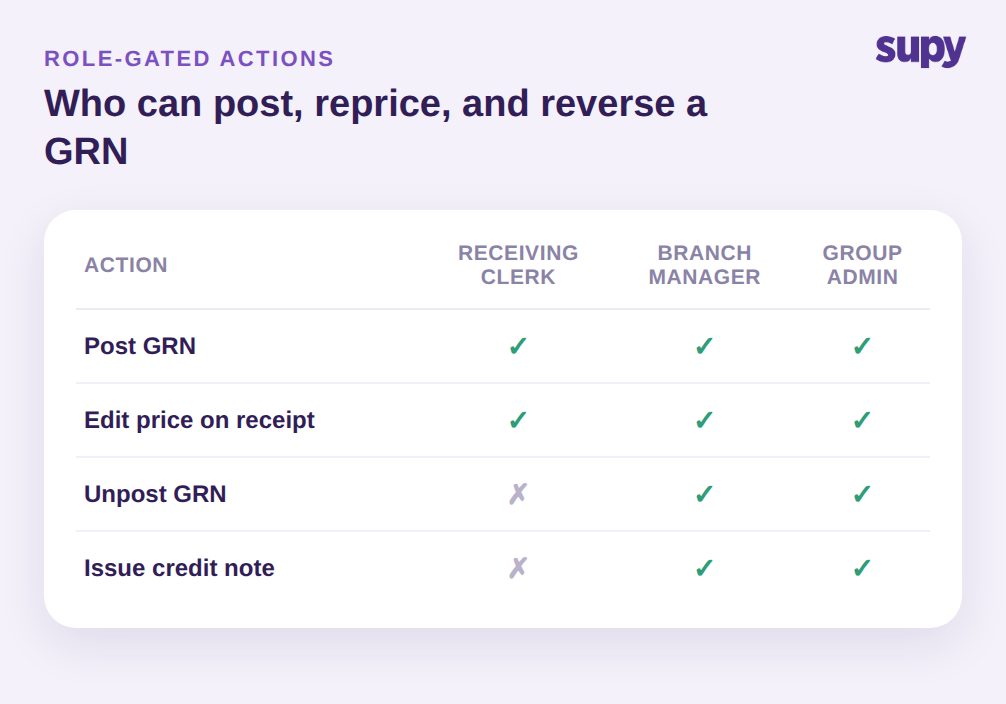
The controlled model gates each action by role, scoped to the specific outlet, inside a configurable permissions framework. A receiving clerk can post a GRN and edit a price on receipt, but unposting and issuing credit notes sit with a branch manager or group admin. Supy exposes more than 200 customisable permissions and supports sequential approvals up to 5 approvers by branch and order value, so the group sets the line between speed and control where it wants it, per site. Every one of those actions lands in a tamper-proof audit log tied to a named user and a timestamp, filterable by user, branch, action, and date. When finance asks who repriced that beef line or reversed that receipt, the answer is one filtered view away, not a reconstruction from memory. If approval design is where your group is weakest, our breakdown of restaurant spending controls shows how the same permissions model works at the ordering stage.
Where to Start: A Five-Point GRN Health Check
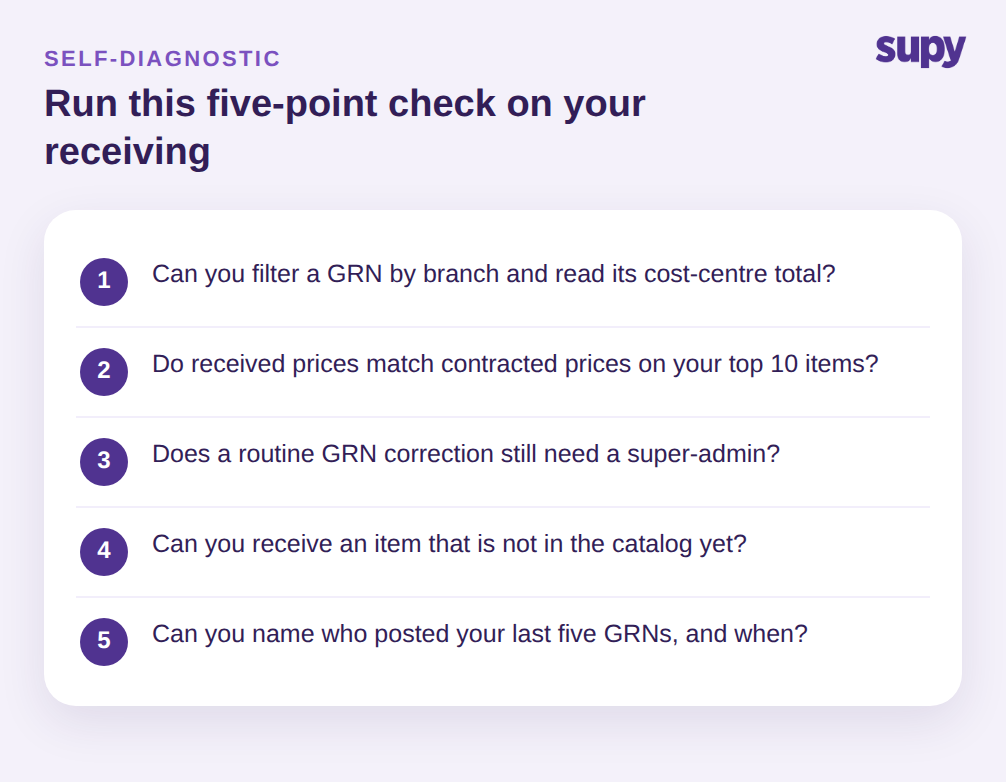
You do not need a full rebuild to find out whether receiving is leaking. Run these five checks against your own operation this week, in order. First, open the GRN list and try to filter by a single branch and read its cost-centre total; if the locations field is blank or there is no dollar total, allocation is your first gap. Second, pull last month's receipts and compare contracted price against received price on your ten highest-volume items; any silent overcharge like the $90 beef line is money you can recover with a credit note. Third, time how long a routine GRN correction takes and note whether it required a super-admin; if a branch waits on head office to fix a receipt, your permissions are too tight. Fourth, try to receive an item that is not in the catalog and see whether it blocks the delivery. Fifth, ask for the name and timestamp of whoever posted your last five GRNs; if you cannot get it in under a minute, you have no audit trail.
Whichever check fails first is where to start. Receiving is not a clerical afterthought in a multi-site group; it is the checkpoint where cost accuracy, allocation, and accountability are either enforced or lost. Fix the receiving workflow and month-end stops being an archaeology project.